Smart locks are the one category where ecosystem lock-in is literally a life-safety decision. Get the wrong one and you're fumbling with a dead-battery app connection at midnight in the rain. Get the right one and you never think about your front door again.
I've had a Yale on my front door and an August on my back door for over a year. I've tested the Schlage at a family member's house. Here's what actually matters when buying in 2026.
The Platform Question First
Before price, before features, before anything else — what platform do you live in?
Apple ecosystem: You want Apple Home Key support. Yale Assure Lock 2 Plus and Schlage Encode Plus are the two options here. Home Key lets you tap your iPhone or Apple Watch to the lock like a hotel room card. It works via NFC, so it's fast and doesn't require the app to open. It also works with iPhone's power reserve, meaning even a dead battery will briefly power up to unlock. That's genuinely useful.
Android / Google Home: August and Kwikset Halo Touch are your best bets. August in particular has solid Google Assistant integration and an excellent app.
Home Assistant: August and Yale both have community integrations, but neither is great locally. If HA integration is critical, look at Z-Wave or Zigbee-based locks instead — the August WiFi and Yale WiFi models are both cloud-dependent in HA.
Matter: The Yale Assure Lock 2 supports Matter over Thread, making it the future-proof pick. Schlage has confirmed Matter support via firmware updates. Matter doesn't change the day-to-day experience much yet, but it means you're not stuck in one ecosystem long-term.
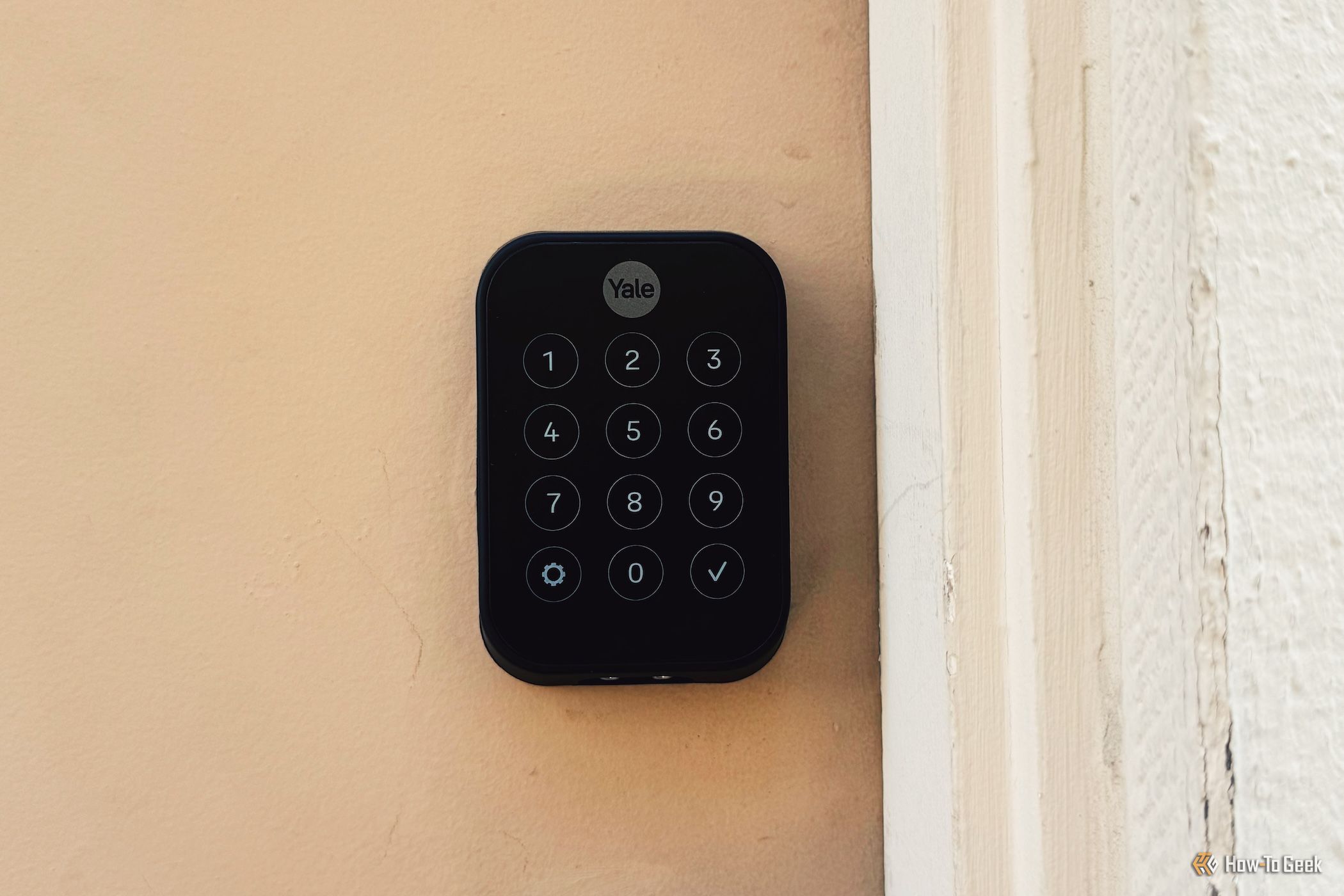
Yale Assure Lock 2 Plus — ~$210–$290
The Yale Assure Lock 2 Plus is the best overall smart lock for most people in 2026. It's keyless, touchscreen, supports Apple Home Key, and comes in two connectivity options: Bluetooth-only at ~$210 and Wi-Fi at ~$290.
The Home Key experience is genuinely great. You just tap and the lock turns — no app, no Bluetooth wake-up delay, no fumbling. I use it fifteen times a day and it has never once failed to respond. Fast, reliable, silent enough that it doesn't wake up the house.
The touchscreen keypad is compact compared to competitors. If you have a door with limited space around the handle, this is easier to fit than the Schlage or Kwikset. Battery life on four AA batteries runs about a year with normal use.
What the Wi-Fi version adds: Remote lock/unlock, access history notifications, and connection to Alexa, Google, and Apple Home remotely (the Bluetooth-only version needs a nearby iPhone for remote access). For $80 more, the Wi-Fi module is worth it if you travel or want to let in houseguests remotely.
The keyless trade-off: The Assure Lock 2 Plus is completely keyless — no physical key cylinder. If your household has one person who won't adopt the tech and always wants a physical key backup, this creates friction. The non-Plus Assure Lock 2 models have a physical key cylinder if that matters.
Home Assistant: Cloud-based via the Yale integration. It works, but if Nabu Casa or your internet goes down, so does your HA control. Not ideal for critical automations.
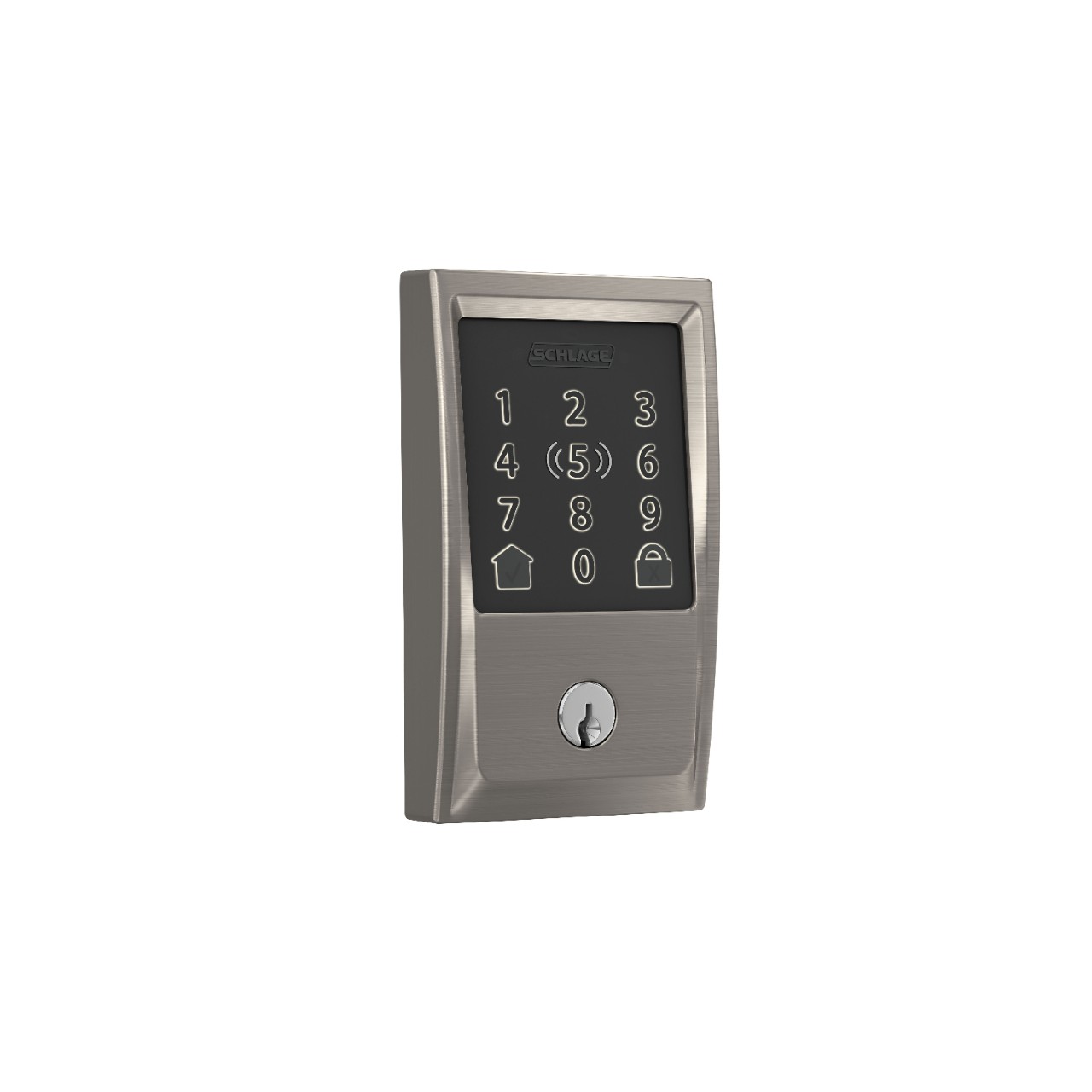
Schlage Encode Plus — ~$329
If physical security is your top priority, buy the Schlage. The Encode Plus has ANSI Grade 1 certification — the highest residential lock security rating available. It's been tested against brute-force kick-ins, drilling, and picking attempts. It has a built-in tamper alarm that sounds if someone messes with the lock hardware. No other smart lock on this list has that.
The Schlage also supports Apple Home Key, which makes it one of only two residential deadbolts with both Grade 1 security and Home Key (the other is the Yale). If you're in an area with higher crime or you have a ground-level door that faces a public street, the Schlage is the pick.
Built-in Wi-Fi means no hub or module required. Up to 100 user access codes. The Schlage app is clean and the lock history is detailed.
What's annoying: $329 is a lot for a door lock. Setup is more involved than the Yale or August — you need to be precise with the calibration steps during install or the lock won't seat properly. The touchscreen needs a firmer press than competitors. None of these are dealbreakers, but the Yale wins on ease of use.
Who should buy it: Anyone who wants the most secure residential deadbolt on the market and also wants smart features. If you're in a security-conscious household, this is the one.
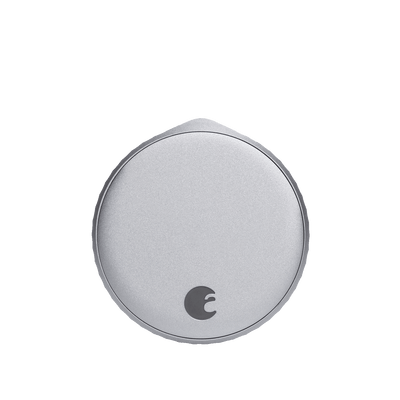
August Wi-Fi Smart Lock (4th gen) — ~$150
The August is the retrofit king. It replaces only the interior thumb-turn of your existing deadbolt. Your existing lock cylinder, strike plate, and physical keys all stay in place. Install time is under 10 minutes. No drilling, no hardware replacement.
This makes the August the only pick for renters with a landlord-approved lock, or for anyone who can't or won't replace their existing deadbolt. The DoorSense feature monitors whether the door is physically closed and locked — useful for getting notifications if you forgot to lock up.
Auto-lock and auto-unlock: When your phone's location shows you leaving, it locks automatically. When you return, it unlocks before you reach the door. This sounds gimmicky but I've been running it on my back door for 14 months and use it constantly. The auto-lock saved me twice when I walked out and forgot to lock.
The trade-off: Because you're keeping your existing lock cylinder, your security rating depends on what deadbolt was already there. The August hardware itself is solid, but it's only as good as the lock it's attached to. If you have a cheap builder-grade deadbolt, upgrade it.
HomeKit support: Yes. No Home Key (that's Yale and Schlage only). Works well with Apple Home automations via the app.
Price: Around $150, which makes it the easiest entry point into smart locks. If you want to test the smart lock lifestyle without committing to a full deadbolt replacement, start here.
Kwikset Halo Touch — ~$180–$240
The Kwikset brings one thing the others don't: a fingerprint reader. If you have kids who can't reliably remember a code, or elderly family members who struggle with apps, a fingerprint is the most frictionless access method available. Store up to 100 fingerprints.
The BHMA Grade AAA certification means it's tested against forced entry, though Grade AAA is one tier below Schlage's ANSI Grade 1. Built-in Wi-Fi, SmartKey rekeying (you can rekey it yourself without a locksmith), and up to 250 access codes make it a feature-rich choice at a price point that undercuts both Yale and Schlage.
What it lacks: No Apple Home Key. No HomeKit support at all. If you're an Apple household, this is a dealbreaker. The app has documented lag issues — sometimes 5+ seconds to respond — which is annoying for a device you're trying to use daily. Build quality feels a notch below Schlage.
Who should buy it: Android households, Google Home users, and anyone who prioritizes fingerprint access. The value is good. The HomeKit gap is a real problem for Apple users.
Retrofit vs. Full Deadbolt Replacement
This is the question most people skip. Here's how to think about it:
Choose a retrofit lock (August) if:
- You're renting and can't modify the deadbolt
- You want to keep physical keys
- You want the cheapest entry point
- Your existing deadbolt is already quality hardware
Choose a full replacement (Yale, Schlage, Kwikset) if:
- You own your home and don't need physical keys
- You want to upgrade the physical security
- You want a cleaner install without visible hardware change on the interior
- You want Apple Home Key
My Pick
For most Apple users: Yale Assure Lock 2 Plus with Wi-Fi at ~$290. Home Key is the best smart lock experience available and local NFC unlock means it works even when everything else fails.
For security-conscious households: Schlage Encode Plus at ~$329. The Grade 1 rating and built-in alarm are genuine differentiators.
For renters or anyone who wants to try before committing: August Wi-Fi Smart Lock (4th gen) at ~$150. Keeps your existing keys, installs in minutes, and works well enough to convert you.
The Kwikset Halo Touch is fine, but without HomeKit it's a hard sell when the Yale and August are both available at similar or lower prices.