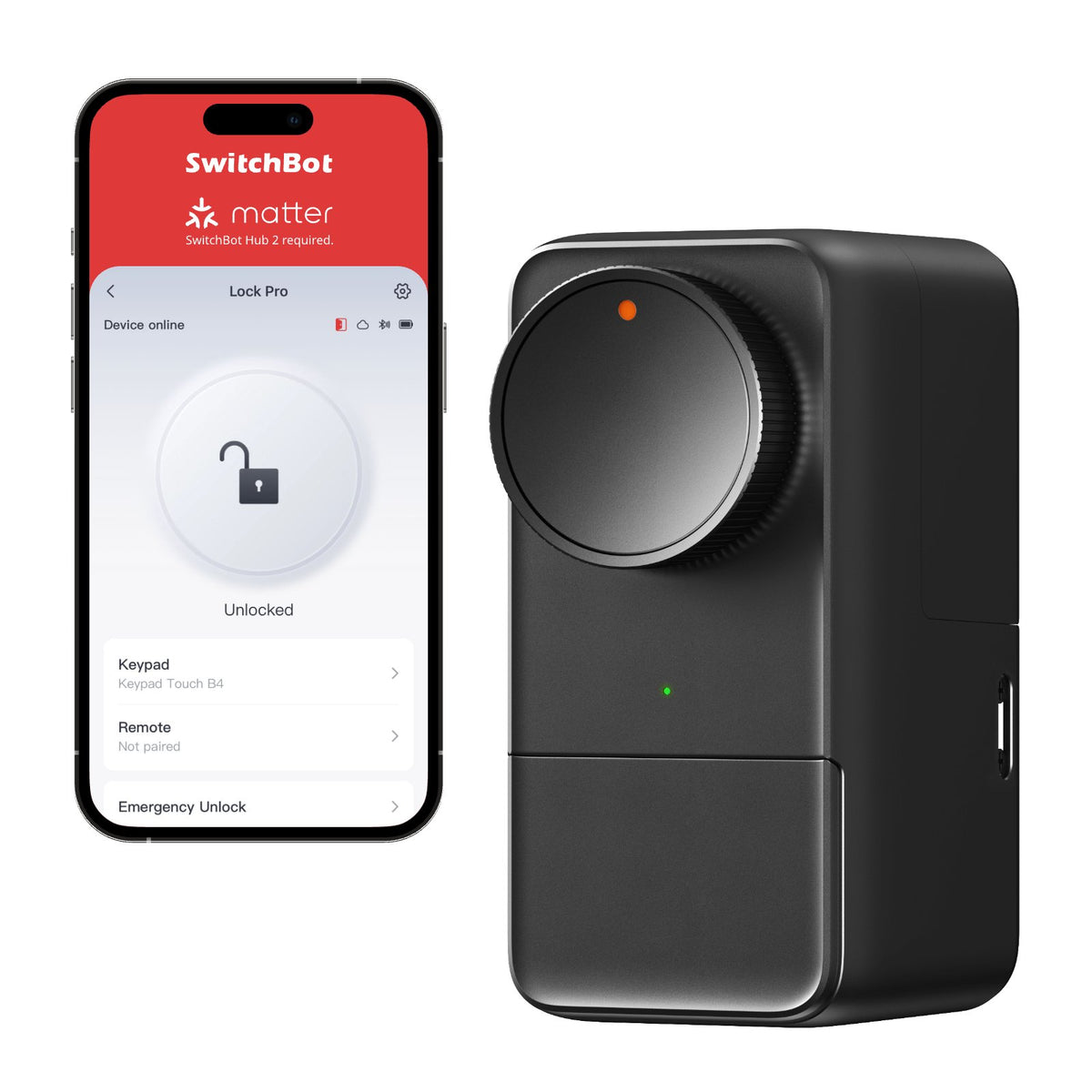
I've installed three smart locks in the past five years. Two of them required replacing my deadbolts entirely. The third one—the SwitchBot Lock Pro—just sits on top of my existing lock like a sophisticated adapter. No drilling, no new hardware, no telling my landlord anything.
At $120 plus the cost of the SwitchBot Hub Mini ($50 if you don't have one), it's not the cheapest option out there. But for people who rent, or who just don't want to mess with their existing locks, it's the smart move.
Check SwitchBot Lock Pro on Amazon
What Makes Retrofit Smart Locks Different
A traditional smart lock replaces your deadbolt entirely. You take out the old lock, install the new one, and you're done. But if you rent, or if you're renting out a space, that's not an option.
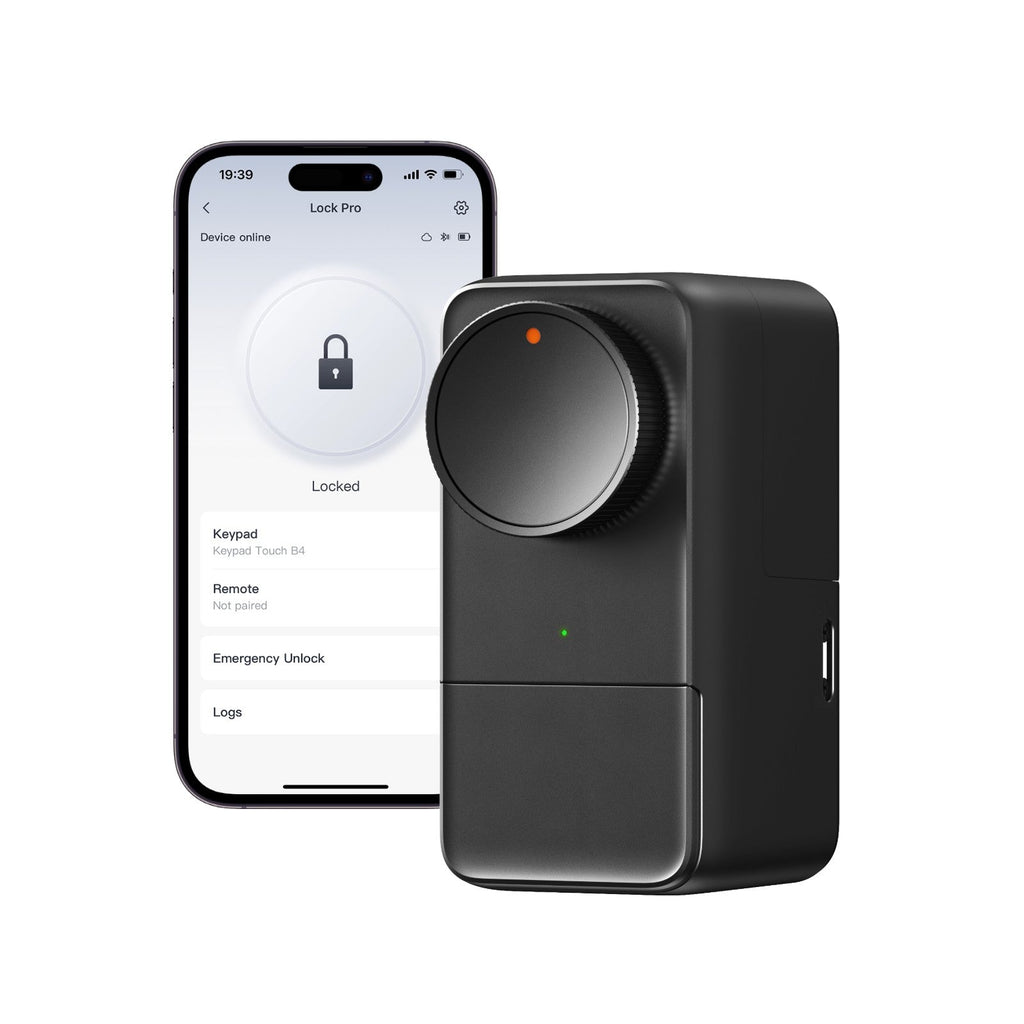
SwitchBot's approach is different. The Lock Pro sits over your existing deadbolt and physically turns it for you. It's a motor-driven actuator that grabs your lock's thumb turn and rotates it. You keep your original lock. You keep your original keys. You don't need a landlord's permission.
The first time you turn a key in your deadbolt with the Lock Pro installed, you might feel a little motor resistance. It's not much. The motor is quiet and quick. After the initial setup (where you teach it the locked and unlocked positions), it takes about two seconds to lock or unlock the door.
Installation and Setup
The Lock Pro comes with a template you tape to your door. You drill two small holes for the mounting bracket. The bracket screws in (again, small screws, nothing permanent). The actuator slides onto the bracket, and you're done with hardware.
The tricky part is the calibration. You pull up the SwitchBot app, hold the button on the actuator, and let it learn the locked and unlocked positions of your existing deadbolt. It runs through the motion a few times, learning exactly how far to turn. This took me about three minutes.
Here's the thing: SwitchBot makes a dual-lock adapter that handles different deadbolt designs. I have a standard pin tumbler lock, so the single adapter worked fine. Some cylindrical locks might need the dual-lock option. Check their compatibility chart before ordering.
The Smart Features
Geofencing auto-unlock: Set it so that when you approach your door (based on your phone's location), the lock unlocks automatically. It's convenient until it's not—I had a few moments where my partner arrived before me and had to wait for the unlock to trigger. There's a 30-second delay to prevent it from triggering prematurely. You can adjust the range in the app.
Auto-lock: Set a timer so the door automatically locks after you open it. I use 10 seconds, which gives me time to get inside and close the door without fumbling for the lock.
Guest access: Create temporary codes or time-based access for guests or service people. The SwitchBot app handles this smoothly. You can revoke access instantly if needed.
Battery backup: The main batteries (AA batteries, two of them) power the motor. If they die, you can't use the app, but your existing keys still work because you never replaced the actual lock mechanism. There's also a 9V battery backup port that keeps the electronics alive if the main batteries completely die. It's a thoughtful design touch.
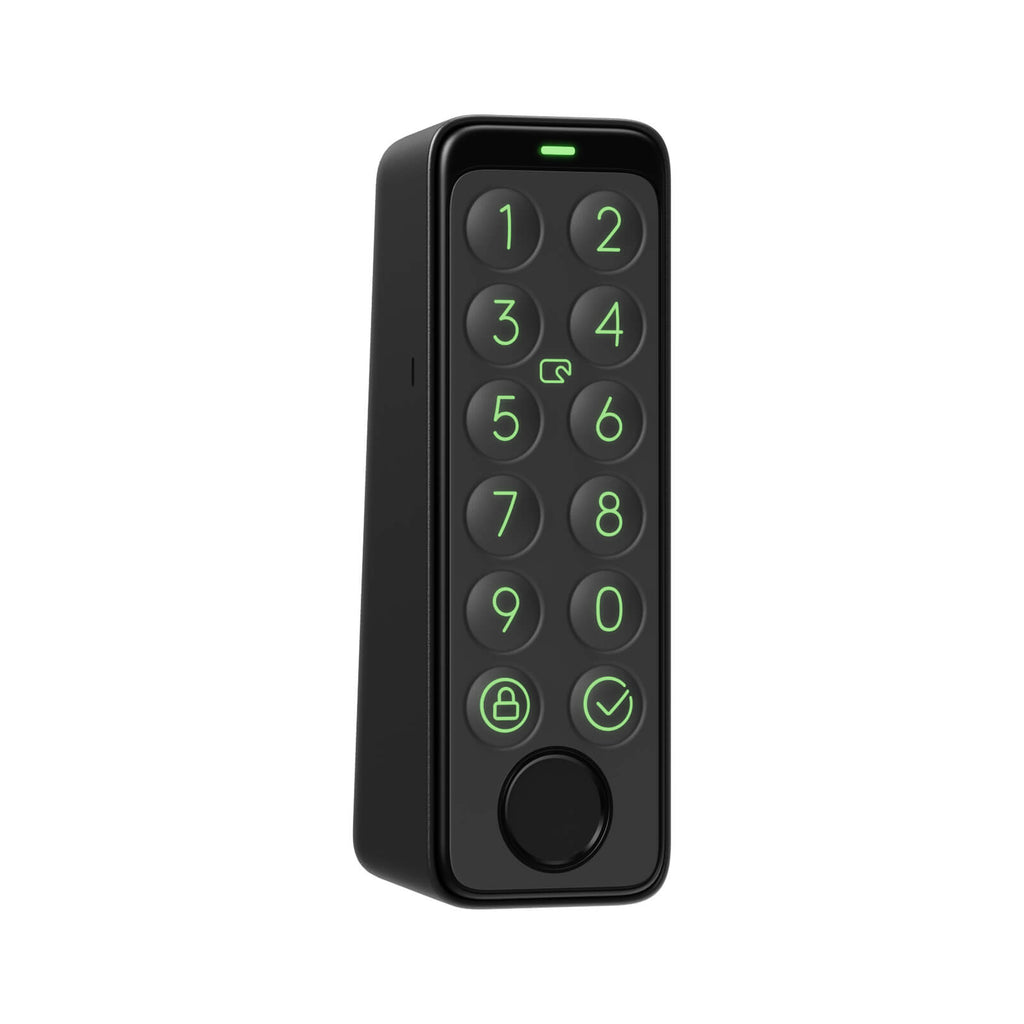
The motor is genuinely quiet. My previous lock was this early-model smart lock that sounded like a spinning drill. The SwitchBot sounds like a gentle whirring. If you're worried about neighbors or roommates hearing the lock engage, this one won't annoy them.
Matter Support (With a Catch)
The Lock Pro supports Matter, which is great for future-proofing. But—and this is important—you need the SwitchBot Hub Mini to act as the Matter bridge. The Lock Pro itself doesn't speak Matter directly. It talks to the Hub Mini, which then speaks Matter to your Apple Home, Google Home, or Alexa setup.
This adds another $50 to the total cost and adds another device to your network. If you already have a Matter bridge (like an Apple TV or HomePod mini), you might not need it. But most people will end up buying the Hub Mini.
The Hub Mini is small and unobtrusive. It connects to your Wi-Fi and acts as both a Bluetooth bridge (for devices that only speak Bluetooth, like some SwitchBot products) and a Matter controller. It's useful beyond just the lock, so it's not wasted money.
With Matter enabled, your lock shows up in Apple Home with all the controls. You can lock and unlock from the Home app, set up automations based on time or presence, and see lock history. It works well.
How It Compares to August
August WiFi Smart Lock is the main competitor. It's $230, speaks Wi-Fi directly (no hub needed), and replaces your deadbolt entirely. If you own your home and you're willing to replace the lock, August is arguably the better choice. The lock is integrated into the door. There's no external actuator.
But August requires installation. It's permanent. And it costs twice as much. For renters or people who want maximum flexibility, SwitchBot wins.
There's also Level Lock, which is a new inside-lock option. It replaces the internal mechanism but keeps the exterior looking original. It's clever, but it's also $300 and very new. I'd want to see it last a few years before recommending it.
Battery Life
SwitchBot rates the batteries for one year of heavy use. I've had mine for six months with maybe 10–15 lock/unlocks per day, and the batteries are still showing full charge in the app. You get a warning when they're getting low, so you won't be surprised.
Potential Downsides
The motor adds a point of failure that your existing lock didn't have. If the SwitchBot actuator breaks, you lose app control but you still have your keys. That's the trade-off of the retrofit approach.
Geofencing can be unreliable depending on your phone's GPS accuracy. I've had days where it works perfectly and days where my location data is wonky and the auto-unlock fails. It's not a deal-breaker—your keys still work—but it's not as reliable as a keypad.
If you want to sell the device, the mounting holes are permanent. Nothing terrible, but it's worth knowing.
Who Should Buy This
You should buy the SwitchBot Lock Pro if:
- You rent and can't replace your lock
- You like the idea of smart locks but don't want to deal with installation
- You want to keep your existing lock and keys as a backup
- You're willing to buy the Hub Mini for Matter support
You should buy something else if:
- You're replacing a lock you already need to replace anyway (then a traditional smart lock is better)
- You need absolute reliability (the retrofit design adds a failure point)
- You want the lock to integrate seamlessly with the door (no external actuator)
The Real Value
For $170 total (lock plus hub), you're getting a smart lock that works for renters, that keeps your existing hardware, and that plays nicely with modern smart home platforms. That's a solid offering in a space where other options have more constraints.
I like that I can hand someone a temporary access code, that I can unlock my door from my phone, and that I still have my keys if everything goes wrong. That flexibility costs something, but it's worth paying for peace of mind.
Get the SwitchBot Lock Pro on Amazon if you want to go smart without ripping out your existing deadbolt.