HomeKit Secure Video changed how I think about home cameras. No cloud uploads of your footage. No AI analysis happening on some company's servers. Just encrypted video stored in your iCloud, with all the smart detection happening right on your device. It sounds too good to be true, but it actually works.
The problem is figuring out which camera to buy. The HomeKit ecosystem has gotten a lot better in the past year, but the options are still limited compared to the Wild West of Ring and Arlo. I've tested three solid options, and here's what actually matters.
What Makes HomeKit Secure Video Different
First, let me explain why this matters. When you set up HomeKit Secure Video with an eligible camera, here's what happens:
Your video stream is encrypted end-to-end. That means only your device can decrypt it. Apple gets the encrypted stream and stores it in your iCloud, but Apple can't see what's in it. The AI analysis that detects people, animals, and vehicles? That happens locally on your Apple TV, HomePod mini, or iPad acting as a home hub—not in the cloud. You get activity notifications ("person detected at front door") without giving up footage to a third party.
You need an iCloud+ subscription. It costs $2.99 a month for 50GB and covers one camera. Step up to 200GB ($9.99/month) and you can record from five cameras. For most people with one or two cameras, the base plan is fine.
The recordings stay encrypted in your iCloud for ten days. You can review them in the Home app and share clips with family members. It's private in a way that regular cloud cameras just aren't.
1. Aqara Camera Hub G5 Pro — Best Overall
Price: ~$100
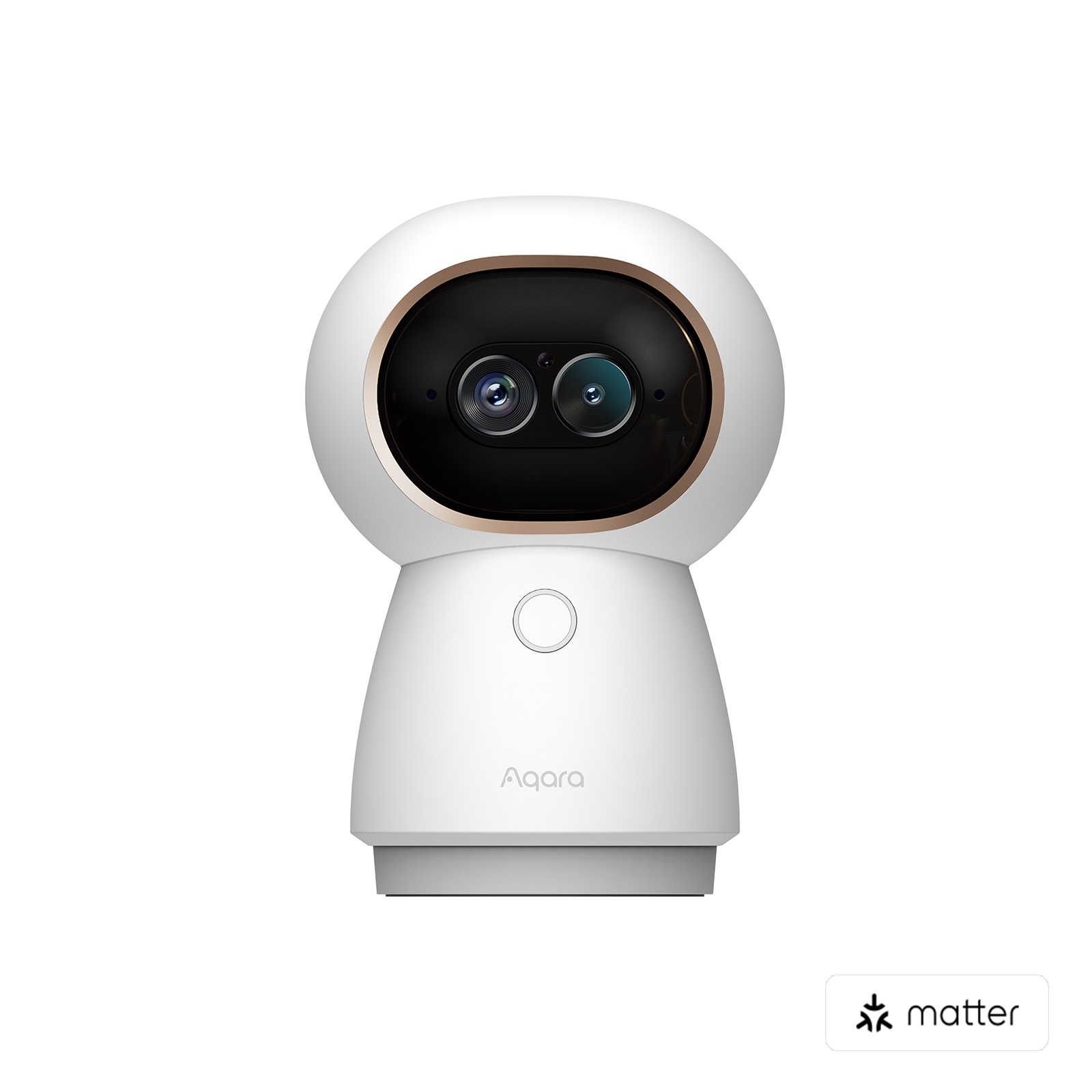
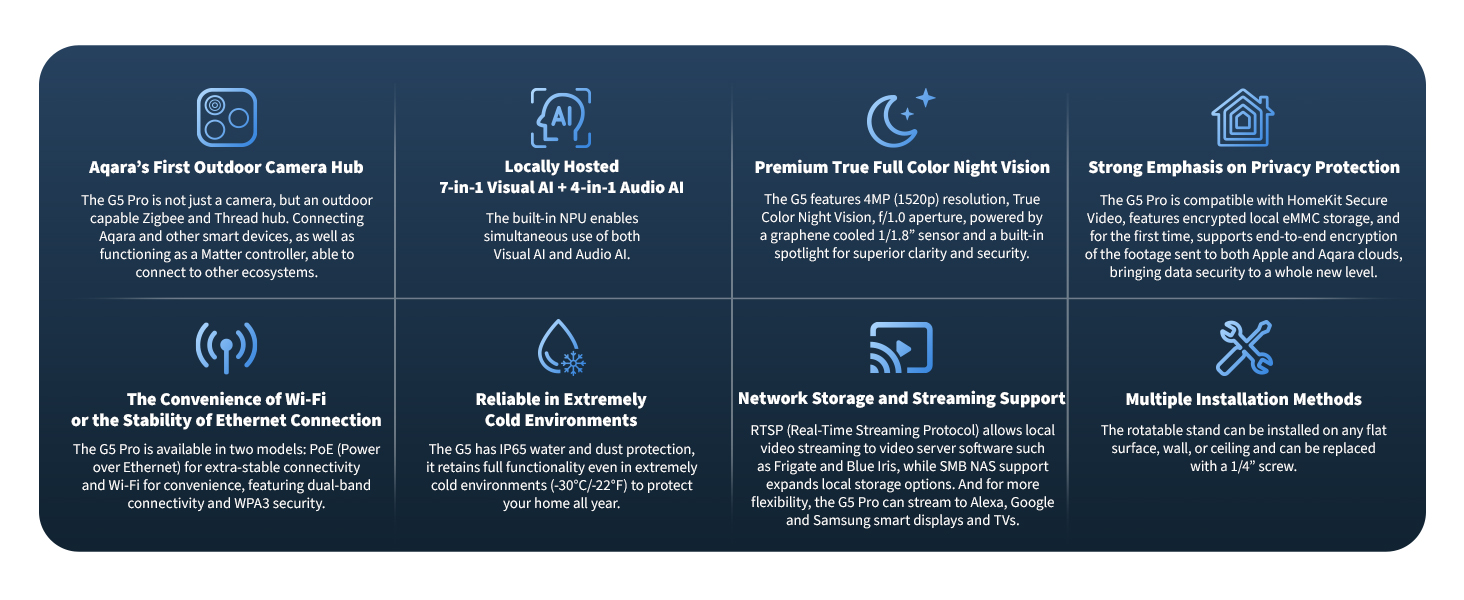
The Aqara G5 Pro is the camera that made me realize HomeKit was finally ready for regular people. It's a 2K pan-tilt camera that also functions as a Zigbee hub, which is genuinely useful if you've got Aqara sensors scattered around your home.
The camera itself has auto-tracking, which means if someone walks across your yard, the lens follows them. The 1080p continuous recording works through HomeKit Secure Video, and the 2K mode gives you extra clarity for the main recording. Night vision is excellent. The pan-tilt mechanism is quiet and responsive.
Here's the thing that sold me: it's not just a camera. It's also a Zigbee 3.0 hub. If you've already invested in Aqara door sensors and motion detectors, this becomes the central hub for coordinating them. I use it to trigger automations in Home Assistant via HomeKit Bridge, which is overkill, but the option exists.
The motion detection is fast. You get notifications within a second or two of someone moving near the camera. Battery backup means it can send you an alert and a final image if the power goes out.
The only downside is that Aqara's app experience outside HomeKit is clunky. But you don't really need it if you're all-in on HomeKit. Just use Apple's Home app and forget the Aqara app exists.
2. Eve Cam — Best for Apple-Only Households
Price: ~$100
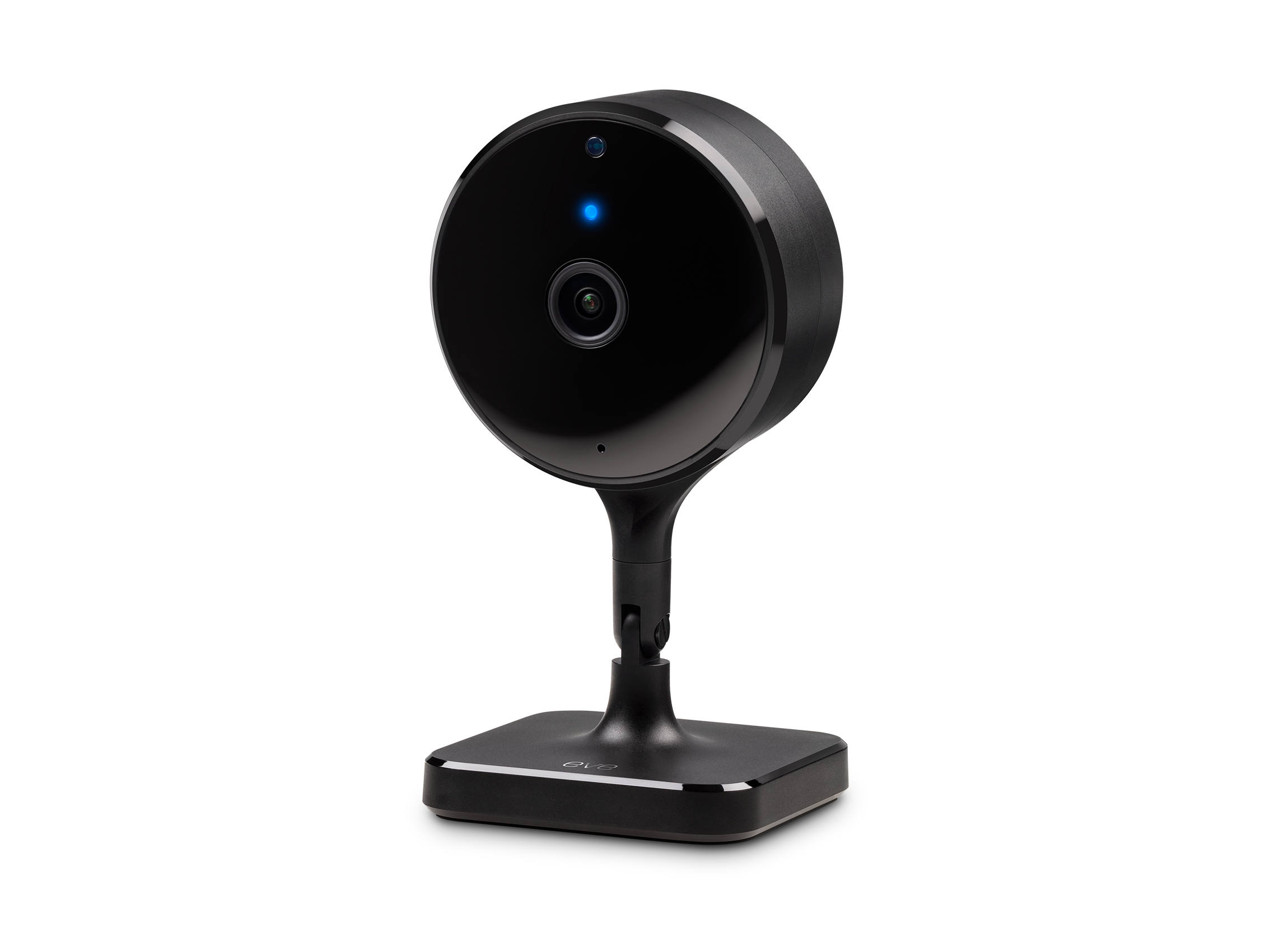
Eve Cam is built by Elgato (now owned by Corsair), and it shows. The design is clean. The interface is thoughtful. If you're the type of person who owns three Apple devices, this camera was made for you.
It's indoor-only, which limits where you can put it. But the image quality is excellent. The camera connects via Thread, which means it stays responsive even if your Wi-Fi is being temperamental. Night vision is clear. The field of view is decent at 130 degrees.
One small feature I really like: you can create secure HomeKit video clips and share them. It's obvious, but some cameras make this annoying. Eve does it right.
Eve Cam doesn't have a hub mode or pan-tilt. It's a simple, focused product: a high-quality indoor camera for HomeKit. If your home is all iPhones, iPads, and Macs, and you're fine with that ecosystem limitation, this is the easiest camera to set up and use.
The motion detection includes person detection, which works well. False alerts are rare, which matters more than I expected.
3. Logitech Circle View — Best for Weather
Price: ~$160
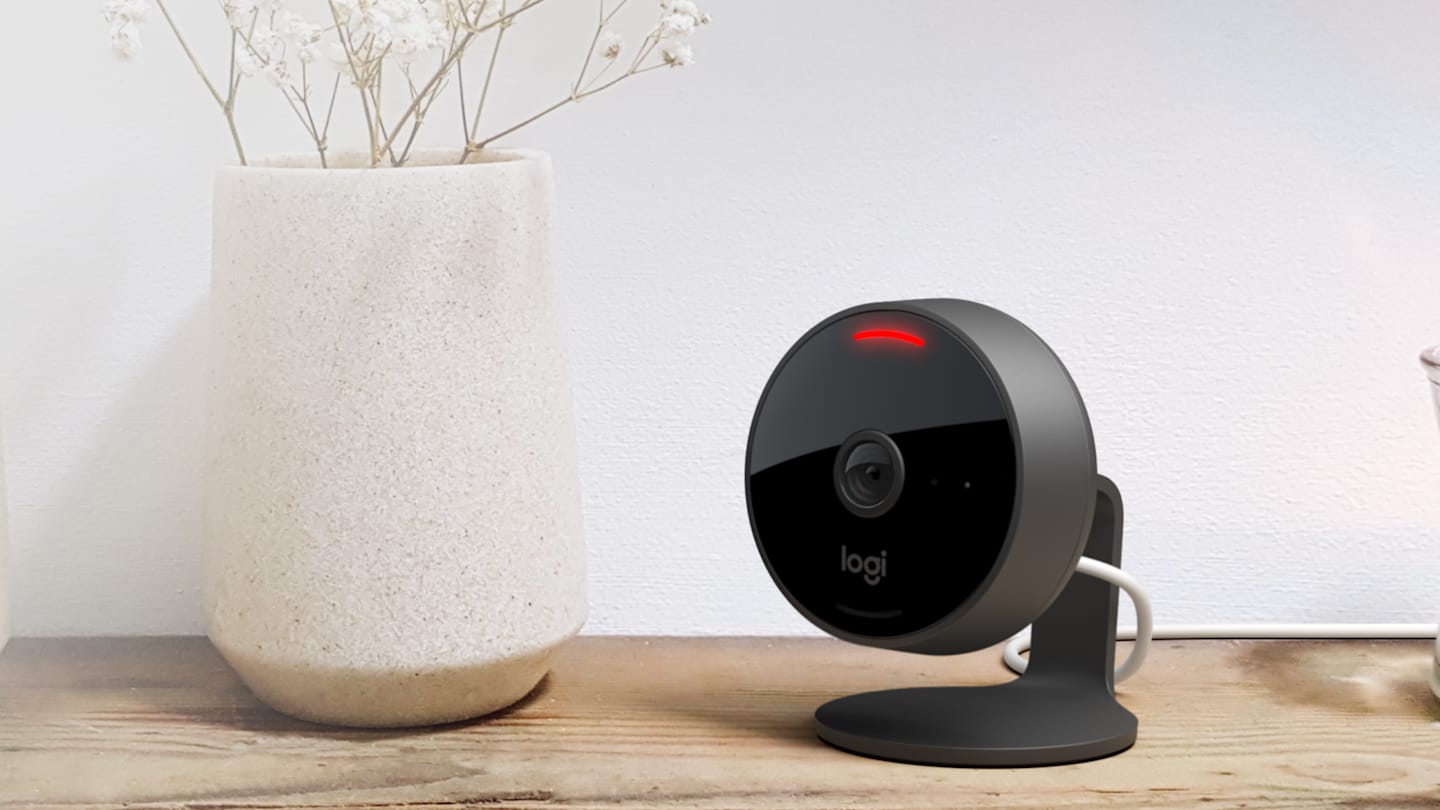
If you need to cover outdoor spaces, Logitech Circle View is the answer. It's weatherproof, which means you can mount it on a porch or garden without worrying about rain.
The image quality is solid at 1080p. The design is attractive in that minimal Logitech way. It's wired (no battery), which means no charging, but you do need power nearby. The field of view is 160 degrees, wider than most indoor cameras.
The big advantage over other outdoor options is HomeKit integration. Logitech designed this specifically for HomeKit users. The setup is straightforward. The Home app experience is smooth.
One thing to know: it's wired only. No battery backup. If your power goes out, the camera stops recording. For a porch camera where you can run an outdoor-rated power cord, that's not usually a problem. For a back corner of your yard, it might be.
Quick Comparison
| Feature | Aqara G5 Pro | Eve Cam | Logitech Circle View |
|---|---|---|---|
| Resolution | 2K/1080p | 1080p | 1080p |
| Pan/Tilt | Yes | No | No |
| Outdoor | Yes | No | Yes |
| Additional Hub | Zigbee hub | No | No |
| Thread Support | No | Yes | No |
| Price | ~$100 | ~$100 | ~$160 |
| Best For | Overall use | Apple ecosystem | Outdoor coverage |
How to Choose
Start with the question: where's the camera going?
Indoors, any room? Eve Cam is the easiest choice. It's simple, it's designed for HomeKit, and you don't have to think about weather.
Indoor with pan-tilt, or mixed indoor-outdoor? Get the Aqara G5 Pro. The extra capabilities pay for themselves if you're trying to cover a larger area. The Zigbee hub bonus is just gravy.
Outdoor coverage? Logitech Circle View is your play. It's weatherproof, wired, and designed for HomeKit.
If you've got the budget and you're serious about home security, getting two of these makes sense. I've got the Aqara inside on the entryway and a Logitech on the porch. They cover my main entry points, and HomeKit Secure Video keeps both recordings private.
The Setup Process
HomeKit cameras are genuinely easier to set up than regular smart home devices. You scan the HomeKit code (it's on the box and usually on the camera itself), and the Home app walks you through it. Choose which room, set up activity zones if you want, and you're done. Honest.
The first time you enable HomeKit Secure Video, it asks which iCloud account you want to use and confirms you want to set up end-to-end encrypted recording. That's it. No fumbling with API keys or IP addresses.
A Note on Privacy
I want to be clear about what HomeKit Secure Video means. Your video is encrypted. Apple can't watch it. But Apple knows you have a camera. Apple logs that you own this device and when it's active. If you're worried about government requests or mass surveillance, that metadata matters. HomeKit is better than most, but it's not perfect privacy.
That said, for the average person who just wants their neighbors and random people on the internet to not see their home, HomeKit Secure Video is the right call.
Final Thoughts
The HomeKit camera market is smaller than Amazon or Google, but it's grown up. These three cameras are genuinely good options. Pick the one that fits your space, set it up in five minutes, and stop thinking about where your footage is going. That's the real value here.
Check current prices on Amazon for all three options, and get the one that matches your setup. You won't regret it.