Last year I was in a rental apartment and wanted to make a light dimmer. No way the landlord was letting me replace the switch. Then I found the Shelly Plus 1, and I realized it solves a problem I didn't even know was a problem.
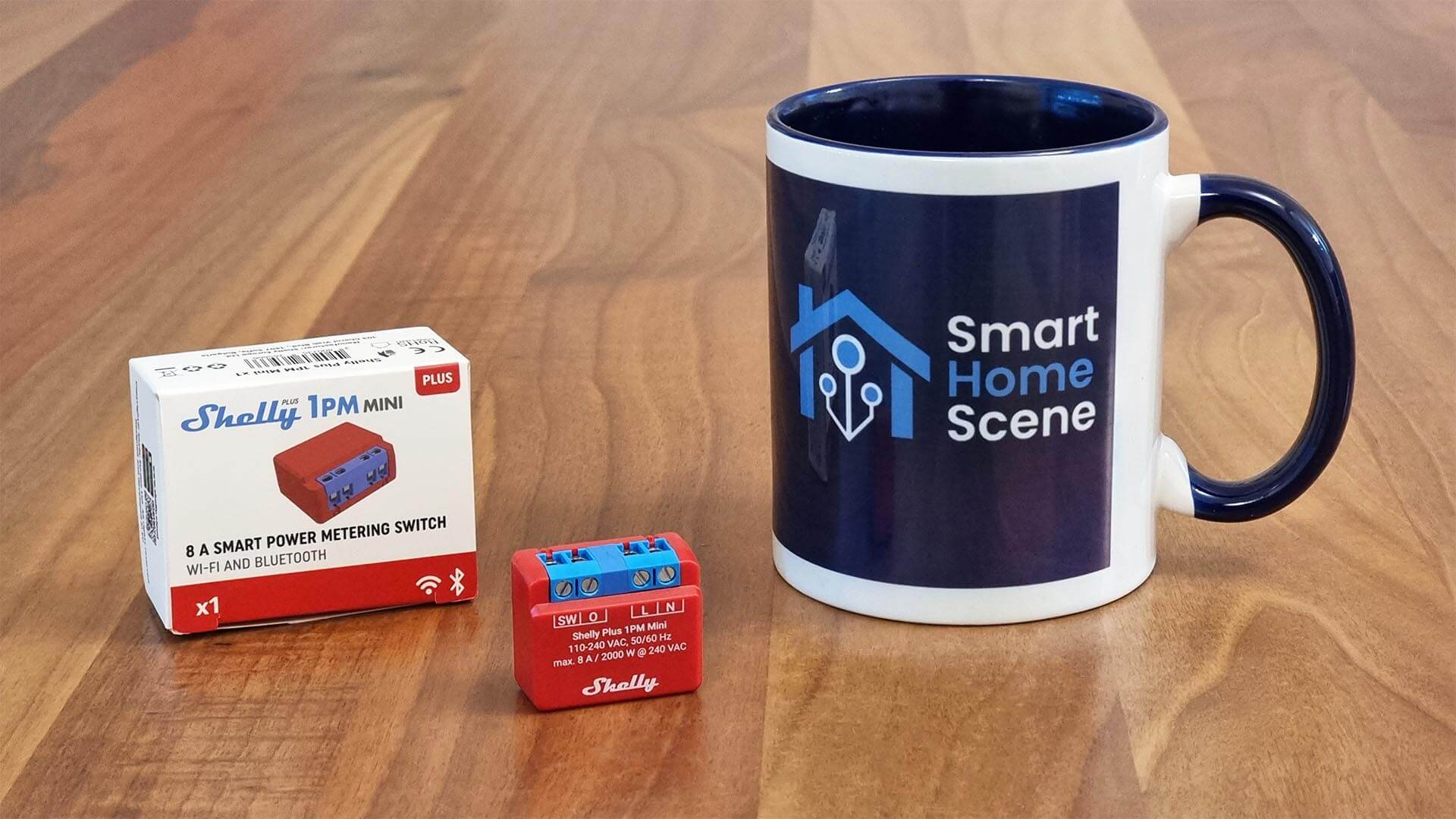
It's about the size of a stack of quarters. It runs on Wi-Fi. It fits inside the electrical box behind your existing light switch. And for fourteen dollars, it makes anything with a switch into something you can control from your phone and automate in Home Assistant.
This is one of those products that shouldn't work as well as it does.
What It Actually Is
The Shelly Plus 1 is a relay—not a smart switch, but a smart relay. There's a difference. A smart switch replaces your existing switch with a new one. A relay fits behind your existing switch and adds smart control without changing anything you see.
You have a regular light switch. You wire the Shelly Plus 1 into the circuit. Your switch still works exactly as it always did. But now the Shelly is listening, and it can also control the light remotely. One electrical input controlled by two things: the switch and the internet.
It's an ESP32 under the hood, which means it's running local firmware. You own the HTTP API. There's no cloud requirement. It works with Home Assistant natively, plus it speaks Alexa and Google if that's your thing.
The relay itself can handle 16 amps at 240 volts. That's 3,500 watts, which covers lights, ceiling fans, pumps, garage door openers, and most things you'd put on a switch. It's not for electric heaters or major appliances, but for everything else in a normal home, it works.
Installation and Wiring
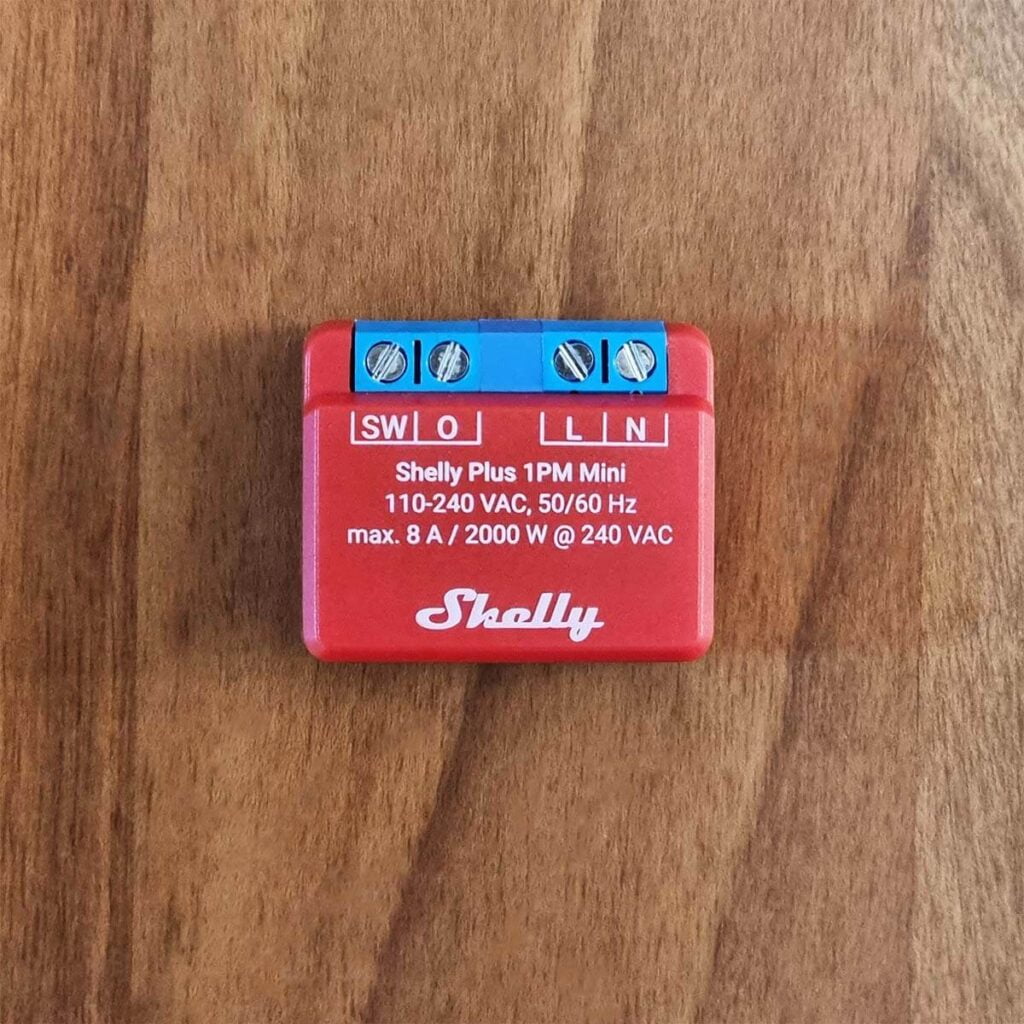
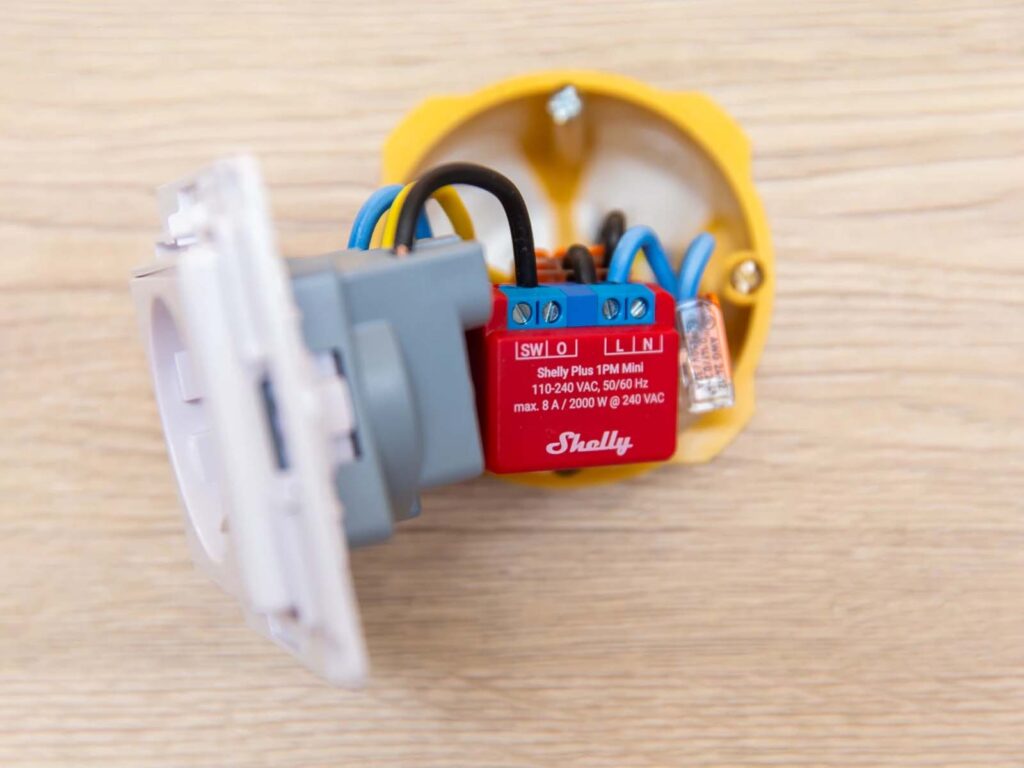
Here's where it gets practical. The Shelly is powered by whatever circuit it's controlling. So if you're controlling a light, the Shelly gets its power from the light circuit. No separate power supply needed. You're just inserting a relay into the existing circuit.
The wiring is simple: line in, line out, neutral, ground. Four connections. If you're comfortable replacing a light switch, you can do this. If you've never done electrical work before, maybe have an electrician do it the first time. It's cheap work.
One thing that's genuinely clever: the Shelly can also be powered by 12V DC separately, which means you can hide it even in places where there's no convenient 110V access. There are places for terminal blocks on the device itself—no connectors to fumble with.
Once it's wired in, you power it up and it creates its own Wi-Fi hotspot. Connect to it, tell it your network credentials, and it joins your home Wi-Fi. Done.
In Home Assistant
The Shelly Plus 1 shows up in Home Assistant automatically. If you have the Shelly integration installed, it discovers the device, pulls in its status, and makes it controllable. You get a switch card that you can flip on and off. You can add it to automations. You can lock it so it can't be turned off via remote, but the physical switch still works.
This is the killer app for anyone running Home Assistant. You get a cheap relay, a decent local API, and full integration with your automation system. The scripting capabilities on the Shelly itself are solid too—you can write complex automations right on the device that work even if your Home Assistant instance is offline.
The Shelly app (not required, but available) is also excellent. It's one of the best mobile apps I've used for a smart home device. And unlike some products that nag you about account creation, Shelly's app works fine over local network without any cloud account.
Where It Shines
The Shelly Plus 1 is a solution to a specific problem: "I want to control something with a switch, but I don't want to replace my switch or rewire anything major."
If you're renting, this is the device. You can install it, control it for years, then remove it when you move out and nobody ever knows it was there. Leave your switch exactly as it was.
If you have a light circuit that doesn't have a switch fixture yet—maybe you just wired up some outdoor lights or a garage circuit—the Shelly is cheaper than buying a smart switch. At fourteen dollars, it's basically free compared to a ninety-dollar smart switch.
If you're controlling something that isn't a light—a circulation pump, an exhaust fan, a garage light, an irrigation valve—the Shelly stops being a "smart switch replacement" and becomes exactly what you need. It's not pretending to be anything other than a relay. It doesn't care what load it's controlling.
The Comparisons
Sonoff Mini R4 (~$10): Cheaper, similar size, similar capability. Local API, Home Assistant compatible. But fewer features, less flexible mounting options, and the physical switch interaction is a bit clunky. Shelly's app is noticeably better.
Z-Wave Micro Switches (~$40): More expensive, but they mesh with other Z-Wave devices, which is valuable if you have a Z-Wave network already. If you don't, they're overkill. Shelly is Wi-Fi only, so it needs direct network access to each device, but that's fine in most homes.
Smart Switch Replacement (~$30-60): If you don't mind replacing your switch, these exist. But you lose the ability to control the light from the switch if the Wi-Fi goes down. Shelly keeps the physical switch functional no matter what.
The Shelly Plus 1 occupies the sweet spot of cheap, capable, and practical. It's not the most feature-rich option. It's not the cheapest. But the value proposition is unbeatable.
The Real Use Case
I put one behind a light switch in my bedroom. The light still works from the switch—my partner can flip it on and off without touching a phone. But I can also control it from Home Assistant, set it on a schedule, link it to my sunrise automation.
I put another behind the garage lights. Now when I come home at night, the garage lights turn on automatically via Home Assistant. But if I'm out there during the day and they're off, I can still flip them on with the physical switch.
That dual control—physical switch and remote automation—is why this device exists and why it's worth fourteen dollars.
The Limitations
The Shelly Plus 1 is Wi-Fi only. If you want a mesh network of relays, you'd need something else. If you're in a building with terrible Wi-Fi, you might have connectivity issues. Most homes are fine, but it's a real consideration.
The physical switch needs to be wired correctly for the Shelly to detect it. If your switch doesn't interrupt the neutral (which is standard in most buildings), the Shelly might not register switch presses. An electrician can figure this out in seconds, but it's something to be aware of.
And because it's a relay, not a dimmer, you can't control brightness with this device. You can turn it on and off. If you want dimming, you need a Shelly Dimmer 2, which costs more.
Worth the Money
At fourteen dollars, there's almost no reason not to have a couple of these lying around. They're handy. They solve a real problem. They integrate beautifully with Home Assistant. And they respect the principle that you should be able to control your own devices without asking permission from a cloud service.
I'd have one in every house if I owned one.
Check current Shelly Plus 1 pricing on Amazon
Start with one and figure out what you'd want to control. You'll probably end up with three or four of them before you know it.