Smart plugs used to be the simplest category to buy in. They all basically worked the same way. Then Matter arrived and suddenly the differences between a $13 plug and a $30 plug became meaningful — because they're not the same protocol anymore, and that matters a lot depending on your setup.
I've run a mix of about a dozen smart plugs across two homes over the past couple of years. Energy monitoring changed how I think about them. Here's what I'd actually buy today.
Why Energy Monitoring Changes Everything
When I first started buying smart plugs, I thought of them as remote on/off switches. Convenient. Fine. Then I got a plug with energy monitoring and realized how much power my always-on devices were actually drawing.
My home office has a desktop PC with a GPU that I leave on standby. I thought it was drawing maybe 15W at idle. It was drawing 85W. My 65-inch TV in standby mode: 23W. The amp I never turn off: 12W. Over a year, these "idle" devices were costing me real money.
A smart plug with energy monitoring pays for itself. And a Matter plug with energy monitoring means you can automate based on power draw — use Home Assistant to turn off the TV circuit if it's been on standby for 4 hours, or get a notification when your dryer cycle finishes (it draws near zero when done).
That said, not all energy monitoring plugs are equal. Some only show instantaneous draw. The better ones show historical data, monthly totals, and can trigger automations based on wattage thresholds.
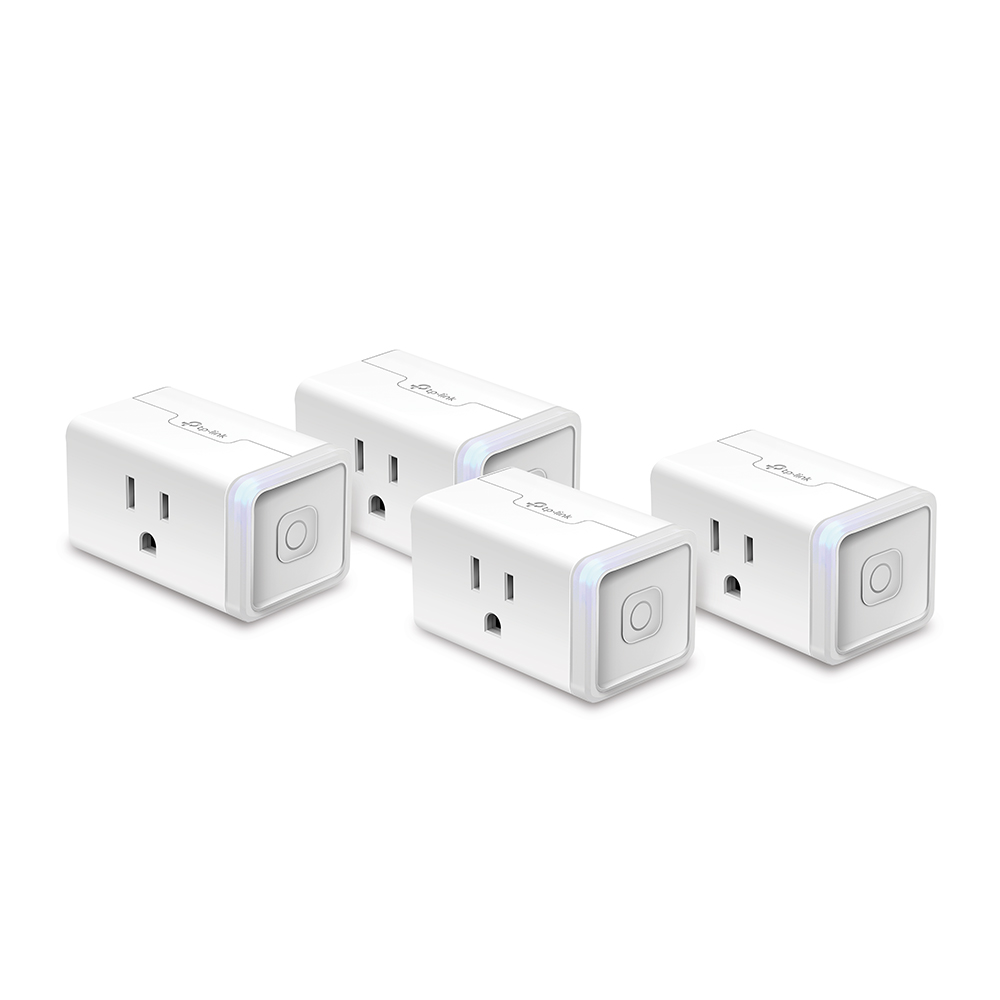
TP-Link Kasa KP125M (Matter) — ~$13–15 each
The Kasa Matter plug (KP125M) is the best value smart plug in 2026. At around $13–15 per unit in 4-packs, you get Matter-over-Wi-Fi, energy monitoring, 15A/1,800W capacity, and UL certification. That's a lot of features at a price that makes buying them in bulk easy to justify.
Matter means it works with Apple Home, Google Home, Alexa, Samsung SmartThings, and Home Assistant without any platform-specific setup. Scan the QR code in your preferred app, done. I added three to my Apple Home in about 10 minutes combined.
Energy monitoring quality: Good. The Kasa app shows current wattage, usage history (daily/monthly), and lets you set custom schedules. In HA, the energy monitoring entity is available and can be used in automations. The wattage readings are accurate — I cross-checked several devices against a Kill-A-Watt and the Kasa was within 2-3%.
What it doesn't do: No Thread. This means it connects via Wi-Fi, adding to your router's device count. In a home with 20 plugs, that's 20 more Wi-Fi clients. Fine on a modern router; potentially an issue on older hardware.
Home Assistant: Excellent. Matter integration means local control, no cloud dependency, fast response. Energy entities work perfectly.
The verdict: If you want to buy 6–10 plugs at once and cover most of your home, the Kasa KP125M is the pick. Hard to beat at this price with Matter support.
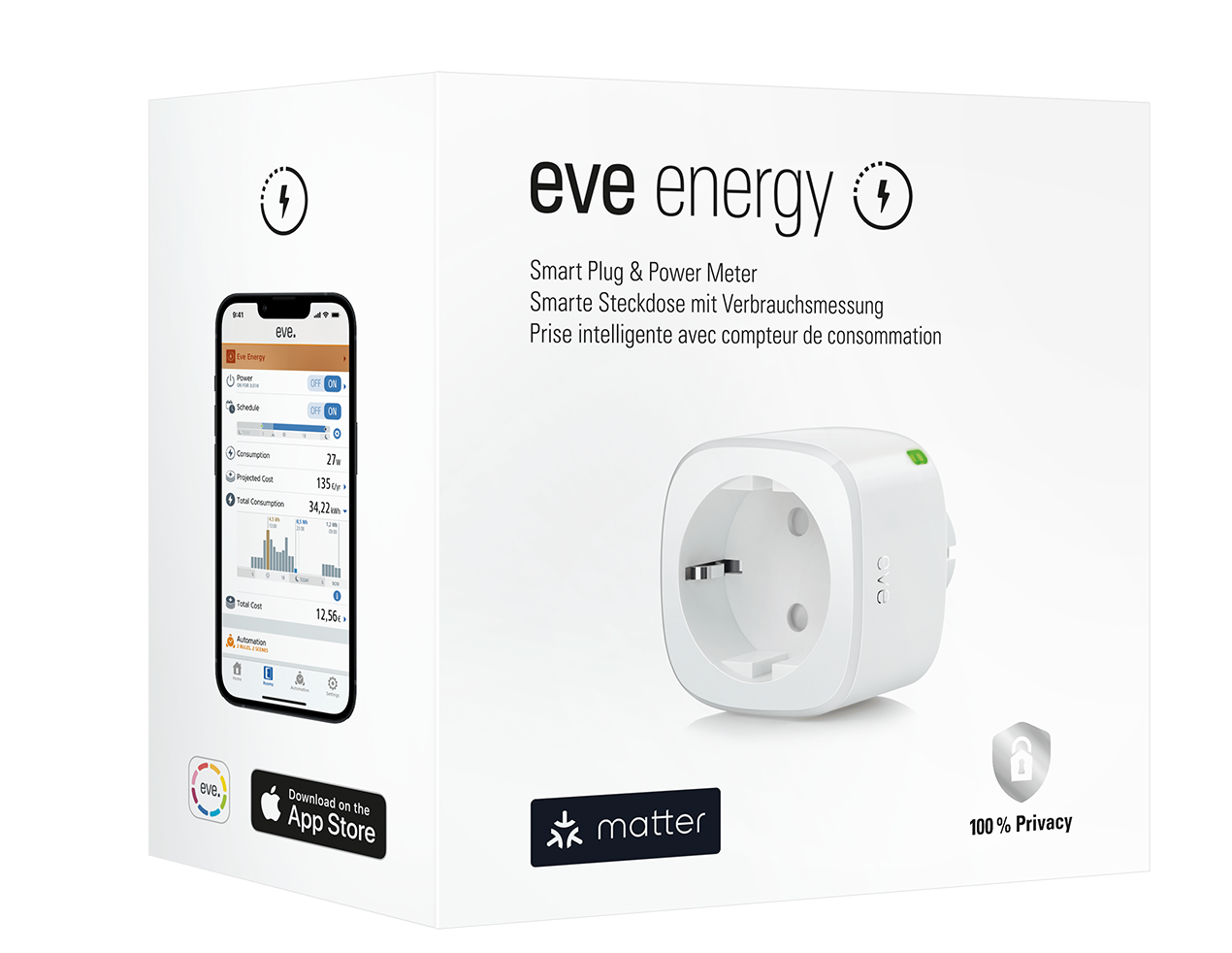
Eve Energy (Matter over Thread) — ~$25–30 each
The Eve Energy is the premium choice. It's twice the price of the Kasa, but it does something the Kasa can't: Matter over Thread.
Thread is the mesh protocol that runs under Matter for battery-powered and low-power devices. It doesn't rely on your Wi-Fi router at all. Instead, Eve Energy plugs form a Thread mesh with other Thread devices in your home — they also act as Thread router nodes, extending the mesh for your thread-enabled sensors and locks.
Why this matters: Thread devices respond faster than Wi-Fi devices. They don't add to your Wi-Fi congestion. They continue working even if your Wi-Fi goes down. And because Eve Energy is a powered plug (not battery), it acts as a full router in the Thread mesh, extending coverage for your Thread sensors and other devices.
Privacy: Eve's whole brand is about local-first operation. No Eve cloud, no account registration, no data leaving your home. Everything is Matter/Thread, everything is local.
Energy monitoring: Detailed watt-by-watt history, exportable data, accessible in Apple Home, Alexa, Google, SmartThings, and Home Assistant.
Thread border router required: You need a Thread border router to use this. Apple HomePod mini (any generation), Apple TV 4K (2nd gen+), Amazon Echo 4th gen, eero 6 or newer. If you already have one of these — and you probably do if you're reading this — you're set.
Who should buy it: Apple ecosystem users building a Thread network, Home Assistant users who want local-first plugs that extend their Thread mesh, and anyone who wants zero cloud dependency.
Meross MSS115 Matter — ~$15 each in 2-packs
Meross is a solid middle-ground brand. The MSS115 Matter plug is compact — small enough that two fit in the same outlet without blocking the second socket — and delivers Matter-over-Wi-Fi at competitive prices.
At about $15 each in 2-packs ($30 for the pair), it's slightly more than the Kasa per plug but often easier to find at retail. Works with Apple Home, Alexa, Google, and SmartThings via Matter. Local-first operation, no cloud required once set up.
No energy monitoring on the base MSS115. This is the main limitation. If energy monitoring matters to you, go Kasa or Eve. If you just want a Matter plug for on/off control and scheduling, the MSS115 is excellent.
SwitchBot Plug Mini HB — ~$20 each
SwitchBot has been positioning itself as the "no hub, just works" brand and the Plug Mini HB (HomeBase required version) is interesting because it connects via their proprietary hub which then bridges to other platforms. It supports 15A, has energy monitoring, and works with Alexa, Google, HomeKit, and Matter.
The HB caveat: The "HB" model requires a SwitchBot Hub. If you already have one for their other devices (bot, curtain, etc.), this is essentially free to add. If you're buying just plugs, the hub requirement makes it less compelling than the Kasa or Meross direct-Matter options.
Where SwitchBot excels is in their broader ecosystem. If you have SwitchBot curtain openers, window sensors, or temperature sensors — the plug fits naturally into the same hub.
Sonoff S40 Matter — ~$14 each
Sonoff is the budget king. The S40 Matter is under $14 per plug with Matter support, compact design, and 15A capacity. The EWELINK app is functional and Matter setup is straightforward.
Limitation: No energy monitoring on the S40. The S40Lite variant adds energy monitoring for about $3 more. For pure budget automation with Matter, Sonoff is hard to beat.
Home Assistant: Works well via Matter integration. Sonoff also has a dedicated HA integration if you want to use EWELINK cloud, but Matter local control is the better path.
The Choosing Framework
You want maximum value and energy monitoring: Kasa KP125M 4-pack. $55 for four Matter plugs with energy monitoring.
You want Thread and local-first: Eve Energy. Pay the premium. It's worth it if you have a Thread border router.
You just want Matter on/off control at low cost: Sonoff S40 Matter or Meross MSS115.
You already have SwitchBot devices: SwitchBot Plug Mini HB fits your ecosystem.
One practical note: if you're on Home Assistant and care about energy monitoring for the HA Energy Dashboard, make sure the plug you buy exposes energy entities via Matter. Kasa and Eve both do this correctly. Some cheaper plugs claim energy monitoring but expose only current wattage, not consumption history — which is what the HA dashboard needs.
Grab the Kasa 4-pack. At $55 for four Matter plugs with energy monitoring, it's a no-brainer.