Before you buy any smart switch, there's one question that determines your options more than any other: do you have a neutral wire at the switch box?
Get down on your knees, pull off your current switch, and look for a white wire connected to a terminal labeled "N" or "Neutral." If it's there, you have neutral wire. If you only see a black, a red, and a ground — no white wire going to the switch — you don't.
Why does this matter? Smart switches need a constant trickle of power to maintain their Wi-Fi or Zigbee radio, keep their firmware updated, and respond to app commands even when the light is "off." Most switches do this using the neutral wire as a return path. Without it, you're either limited to certain no-neutral options, or you need workarounds.
I've installed about 30 smart switches across two houses. Here's what I know.
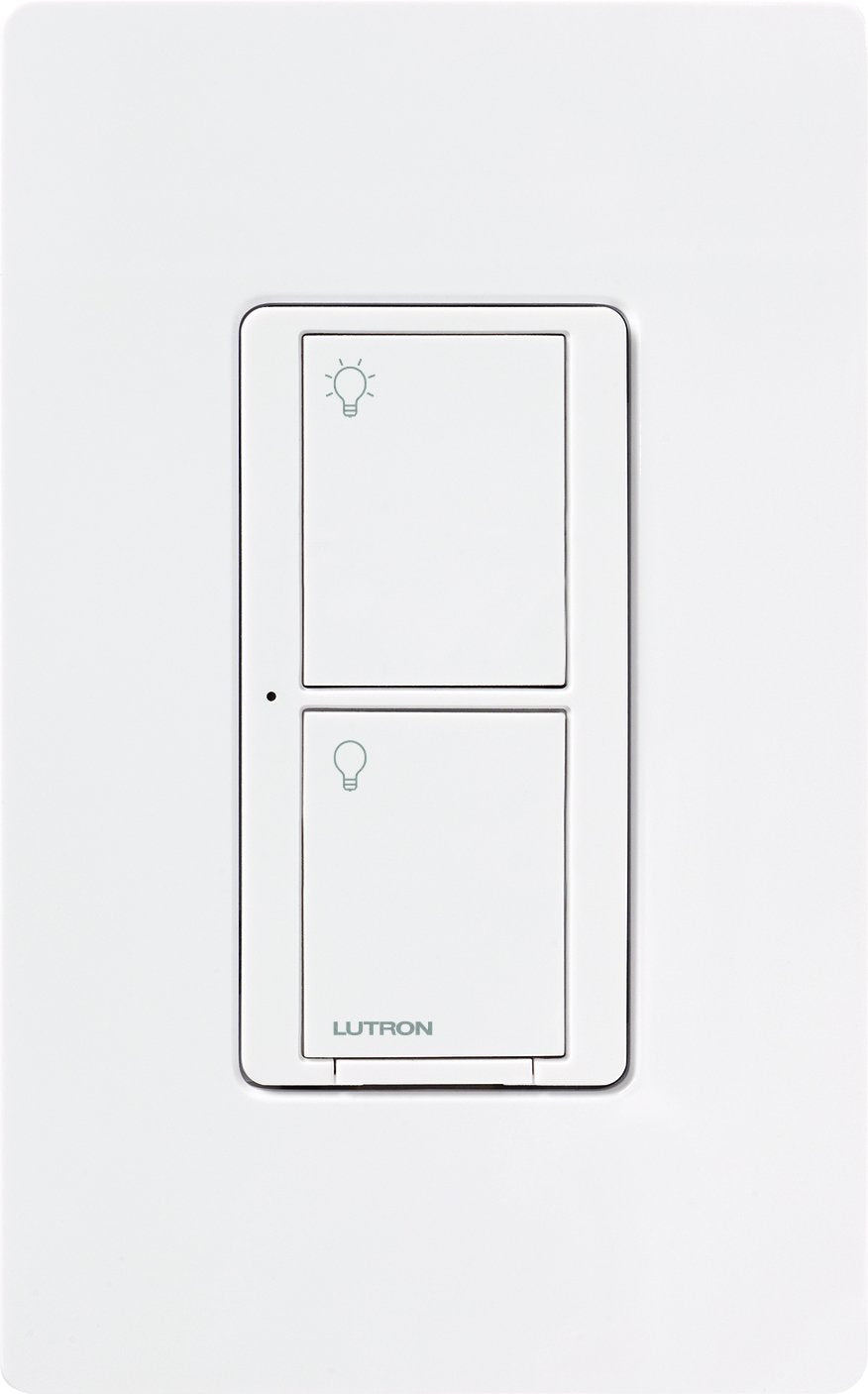
Lutron Caséta Wireless — ~$45–$70 per switch
Lutron is the gold standard for smart switches, and the Caséta line is the reason. The Pro-grade RF radio (Clear Connect) operates on 434 MHz instead of 2.4 GHz Wi-Fi, which means it's not competing with your router, your neighbor's router, your microwave, or every other device in the house. The range is exceptional. I've had Caséta switches in a detached garage communicate perfectly without a repeater.
No neutral wire: The Caséta dimmer (PD-6WCL, ~$65) works without a neutral wire. This is the main reason people choose Caséta over everything else in older homes. The non-dimming switch (PD-6ANS) requires a neutral, so if you're going no-neutral, you need the dimmer model. Your bulbs need to be dimmable LED, and in some cases you'll need a Lutron Caséta LED+ lamp for the best compatibility.
The Pico remote system: This is what makes Caséta genuinely clever. Instead of a traditional 3-way wiring setup (two switches controlling one light), you mount a Pico remote at the second location. It adheres to a wall mount bracket, needs no wiring, and uses a coin battery that lasts years. Setting up a 3-way with Lutron means you never have to worry about traveler wires, and it works in cases where 3-way smart wiring is otherwise impossible.
Ecosystem: Works with Apple HomeKit, Alexa, Google Assistant, Sonos, Ring, and others. The Caséta hub (Smart Bridge) is required — it's ~$80 on its own or bundled in starter kits. The hub is local and fast. Apple Home automations respond in under 200ms reliably. I've tested this for months.
What it doesn't do: No energy monitoring. No scene buttons on the switch face (you tap the Pico for that). Some people hate that the Caséta hub is proprietary and required. It's a fair criticism, but the reliability tradeoff is worth it.
Home Assistant: Excellent. The Lutron Caséta integration is local, fast, and fully supported. This is one of the better HA integrations in the lighting category.
Leviton Decora Smart (Wi-Fi 2nd Gen) — ~$38–$43
The Leviton Decora Smart line is the no-hub alternative to Caséta. These are straight Wi-Fi switches that connect directly to your 2.4 GHz network. No hub, no proprietary radio — just install and connect via the My Leviton app. They support Matter, which means they work with Apple Home, Google Home, Alexa, and SmartThings without additional setup.
The D215S switch (~$38) handles on/off for lights and fans. The D26HD dimmer (~$43) handles LED dimming. Both require a neutral wire.
No-neutral option: Leviton makes the DN15S (~$43), a no-neutral Wi-Fi switch that uses the Leviton Wi-Fi bridge as a workaround. The bridge itself is ~$60. So a no-neutral Leviton setup costs more up front than a Caséta dimmer if you only need one switch, but scales better if you need many switches because you only buy one bridge.
Matter support: The 2nd Gen Decora Smart switches support Matter over Wi-Fi. This is genuinely useful — I added three Leviton switches to my Apple Home setup in about four minutes each. No app required, just scan the QR code in the Home app.
Reliability: Good, not great. Wi-Fi switches can drop off if your router has issues. I've had occasional instances where a switch wouldn't respond to the app for a few seconds after a router reboot. For most people this is a non-issue. For automation-heavy households, it's a consideration.
Home Assistant: Works via Matter integration. Solid.
Kasa Smart Switches — ~$15–$25
TP-Link Kasa makes the best value smart switches on the market. The EP40 series switches (not to be confused with the outdoor plug with the same name) regularly go on sale for $15–$20 per unit. No hub required. Alexa and Google Assistant support. The Kasa app is clean and reliable.
The trade-offs are real though. No Apple HomeKit on older models. Matter support is on newer models only. No no-neutral wire options — Kasa switches require neutral. They're very much "works well if you're not in an Apple household."
For the right buyer: If you're a budget-conscious household with mostly Alexa or Google Assistant control, buy Kasa and don't overthink it. You'll have a functional smart lighting setup for under $200 in a typical home.
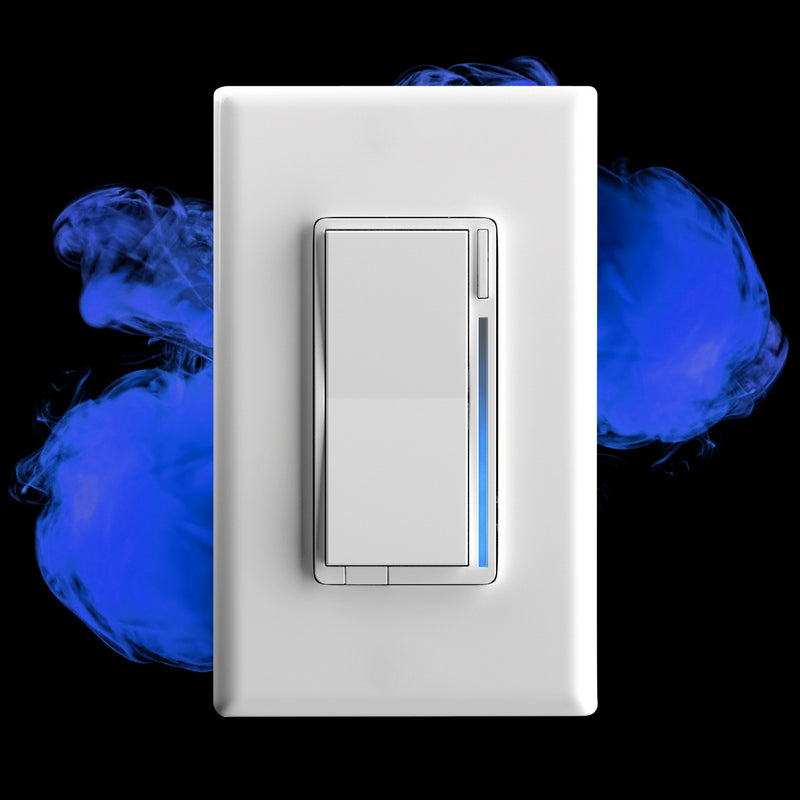
Inovelli Blue Series 2-1 (Zigbee) — ~$55
The Inovelli Blue Series 2-1 is the power user's switch. It's Zigbee 3.0, which means it joins your Zigbee mesh and communicates locally without cloud dependency. It supports up to 21 different scene actions (single tap, double tap, triple tap, hold — on both the up and down paddles). Each action can trigger completely different automations in Home Assistant.
What makes it special: The configurable LED bar on the switch face can display notifications. Set it to pulse blue when your washer is done. Set it to glow red when a door is open. Set it to show the current temperature. This is nerdy as hell and I love it.
No-neutral mode: Works without a neutral wire, but requires a bypass capacitor at the light fixture. Inovelli sells these separately (~$5 each). It's an extra install step but it works.
Smart bulb mode: One of the best features — you can configure it to not cut power to the light circuit on switch-off. Instead, the switch signals the bulbs directly via Zigbee binding. This means you can use smart bulbs AND a smart switch in the same fixture without the bulbs losing power when the switch is "off."
Home Assistant: This is genuinely the best switch for Home Assistant users who want maximum control. Local Zigbee, full entity exposure, LED bar control, scene activation — it does everything HA users want.
The catch: It requires a Zigbee hub. No standalone operation. And it's more complex to configure than a Wi-Fi switch. If you've never set up Zigbee2MQTT or ZHA, start with the Leviton or Caséta first.
IKEA TRETAKT — ~$12
Worth mentioning: IKEA's TRETAKT plug-in switch is the cheapest no-neutral smart solution for lamps and plug-in fixtures. No wiring at all — plug it into an outlet and plug your lamp into it. Zigbee, works with IKEA DIRIGERA hub or directly with Home Assistant via Zigbee.
Not technically a wall switch, but for renters or for fixtures that don't have a dedicated switch circuit, it's the most accessible smart lighting option available.
The No-Neutral Decision Tree
You have neutral wire and want the easiest setup: Leviton Decora Smart with Matter. Scan the QR code, done.
You have neutral wire and want maximum reliability: Lutron Caséta. Nothing is more reliable. Pay the premium.
You have no neutral wire: Lutron Caséta dimmer (PD-6WCL). This is the answer. It works. The alternatives require more setup for comparable results.
You're a Home Assistant power user with Zigbee: Inovelli Blue Series 2-1. The LED bar alone is worth it.
You want cheapest possible: Kasa. Skip it if you're Apple-only.
My Installed Setup
My house is split. Living room and bedroom have Lutron Caséta because they were installed before I ran neutral wires to those boxes. Kitchen and office have Inovelli Blue Series in my Zigbee mesh because I wanted the LED bar notifications and scene control. The garage has a Leviton Decora because I added it last year and just wanted it done quickly via Matter.
All three work fine together. The Caséta switches respond the fastest — that 434 MHz radio is noticeably snappier than Wi-Fi or Zigbee for simple on/off. The Inovelli gives me things I couldn't do with anything else. The Leviton was installed in 8 minutes flat.
Pick based on your wiring situation first. Pick based on your platform second. Price is a distant third — a switch you install once and use ten times a day for ten years isn't the place to cut corners.