Three months ago I installed an Emporia Vue 3 in my breaker panel, and I've already cut my electricity bill by almost 15% just by knowing where all the power actually goes. That's not a sales pitch—that's genuine shock at how much I was wasting without realizing it.
What You're Actually Getting
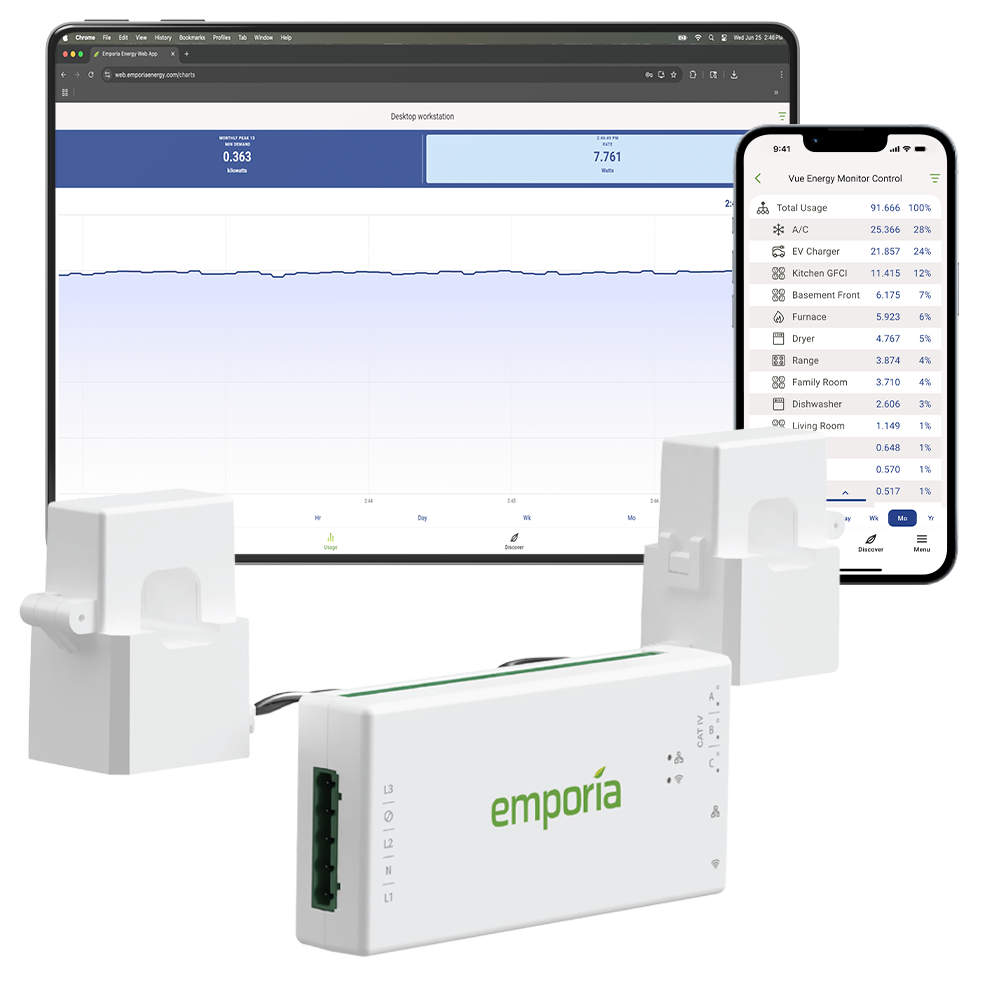
The Vue 3 is a modular whole-home electricity monitor that costs around $100 for the base unit. It shows you real-time power consumption down to the watt, daily and monthly cost estimates, and can send that data straight to Home Assistant over local API.
Out of the box, it monitors your total home consumption. But here's where it gets interesting: you can add up to 16 circuit-specific clamp sensors (~$50 for four sensors, ~$150 total for the full 16-sensor kit). These clamp around individual breaker wires so you can see exactly how much juice your air conditioner, water heater, EV charger, and refrigerator are drawing at any given moment.
The whole thing plugs into your breaker panel—no electrician required for the basic install. The clamp sensors just snap around the wires. Takes about 20 minutes.
How This Actually Pays for Itself
My average monthly electricity bill is about $200. When I started seeing the real-time breakdown, I realized my pool pump was running 14 hours a day instead of eight. My electric water heater was set to 130°F instead of the 118°F I thought I'd set it to. My garage HVAC unit was cycling constantly because of a thermostat setting I'd forgotten about.
I made four changes—adjusted the pool pump timer, lowered the water heater temperature, fixed the garage thermostat, and replaced three old ceiling fans with efficient DC models. My next bill dropped to $172.
At that savings rate, the $100 Vue 3 pays for itself in six weeks. The 16-circuit sensor kit pays for itself in maybe four months. Most homeowners don't realize they're that far away from a genuine return on investment.
Home Assistant and Matter Integration
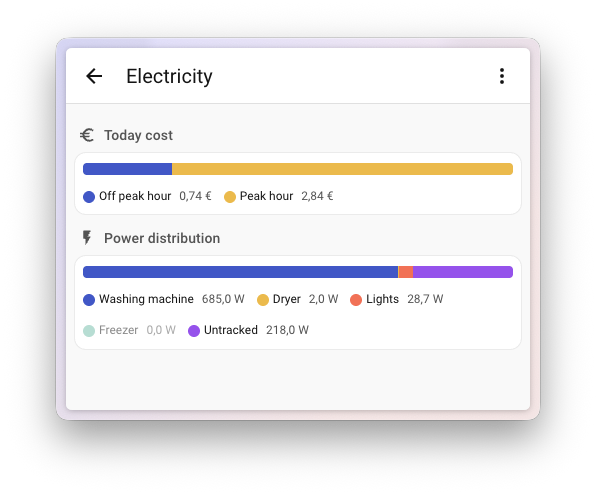
The Vue 3 integrates directly with Home Assistant via local API. No cloud intermediary. No API token chasing. You add the integration, provide your local IP address, and boom—you've got instant real-time power sensors.
I've got my Home Assistant dashboard set up to show:
- Total home consumption in kilowatts
- Daily cost estimate
- Individual circuit consumption for AC, dryer, and pool pump
- 30-day rolling average consumption
Matter support is rolling out in 2026, which means you'll be able to monitor this through Apple Home, Alexa, and Google Home as well. That's a huge step for homeowners who care about consistency across their smart home platforms.
Solar and Net Metering Support
If you've got solar panels, the Vue 3 handles net metering automatically. It tracks whether you're pulling from the grid or pushing back to it. I don't have solar, but I've talked to two people who do, and they both love the granular view of their solar generation versus consumption. One guy said it motivated him to invest in a battery backup system after seeing exactly when his panels were generating excess power he was giving away.
Quick Comparison to Competitors
Sense ($300): Better at identifying specific appliances through power signature analysis. You can tell when your fridge cycles on, when your dishwasher runs. But you can't assign circuits to individual breakers, and you're paying $200 more. Sense is great if you're obsessed with granular diagnostics, but Vue 3 is more practical.
IoTaWatt ($250): Fully local, completely DIY, tons of configurability. But you're dealing with Raspberry Pi setup and manual channel assignment. If you love tinkering, go for it. If you want something that works in 20 minutes, skip it.
My recommendation: Vue 3. You get 80% of what Sense offers at half the price, with better Home Assistant integration.
Installation and Setup

I mentioned it was easy, but let me walk you through it.
Turn off your main breaker. Seriously, don't skip this step. The Vue 3's clamp sensors sit on live wires, but there's no electrical connection—they're purely inductive. Still, work safely.
Open your breaker panel and locate the two main hot lines running into your panel. These are the thick wires connected to your main breaker. The Vue 3 includes two hall-effect clamp sensors that snap around these wires. They send their signal back to the hub unit.
If you're adding the 16-circuit kit, you clamp sensors around whatever circuits you want to monitor. Most people start with HVAC, water heater, dryer, and stove—the four biggest consumers. You can add more any time.
The hub plugs into a 120V outlet in your garage or breaker room. It needs Wi-Fi access, so if your garage Wi-Fi is sketchy, position the hub near a window or in the house itself—the clamp sensors talk to the hub wirelessly.
Once powered up, the hub creates its own access point. You connect to it via the mobile app, provide your Wi-Fi credentials, and it joins your network. Then add it to Home Assistant.
First-timer might take 45 minutes. If you've done electrical work before, 20 minutes easy.
The Bottom Line
The Emporia Vue 3 is practical energy monitoring that actually changes behavior. I was skeptical at first—energy monitoring sounds boring until you realize you're spending $2,400 a year on electricity and have no idea where 40% of it goes.
This shows you. And then you fix it.