I've got a confession: I hate the idea of replacing perfectly good curtains just to make them smart. When SwitchBot sent over the Curtain 3, I was skeptical. The idea of clipping a motor onto my existing rod felt like it'd either be clunky or fall apart after a week.
I was wrong on both counts.
The Setup That Actually Works
The SwitchBot Curtain 3 costs around $90. You'll also want the Hub 2 (about $55) if you're integrating with Home Assistant, HomeKit, or Alexa. That's $145 total for a pair—still cheaper than replacing curtains.
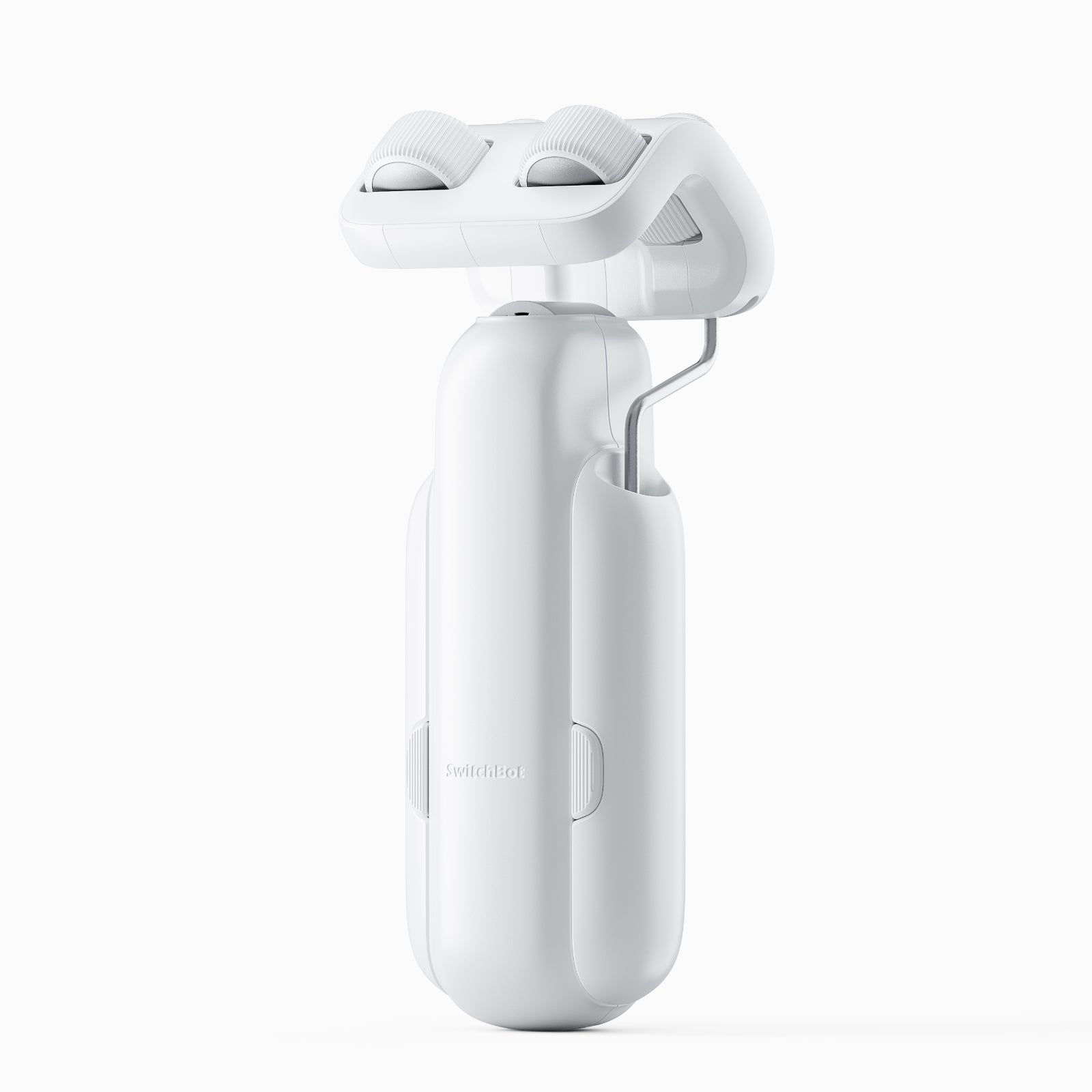
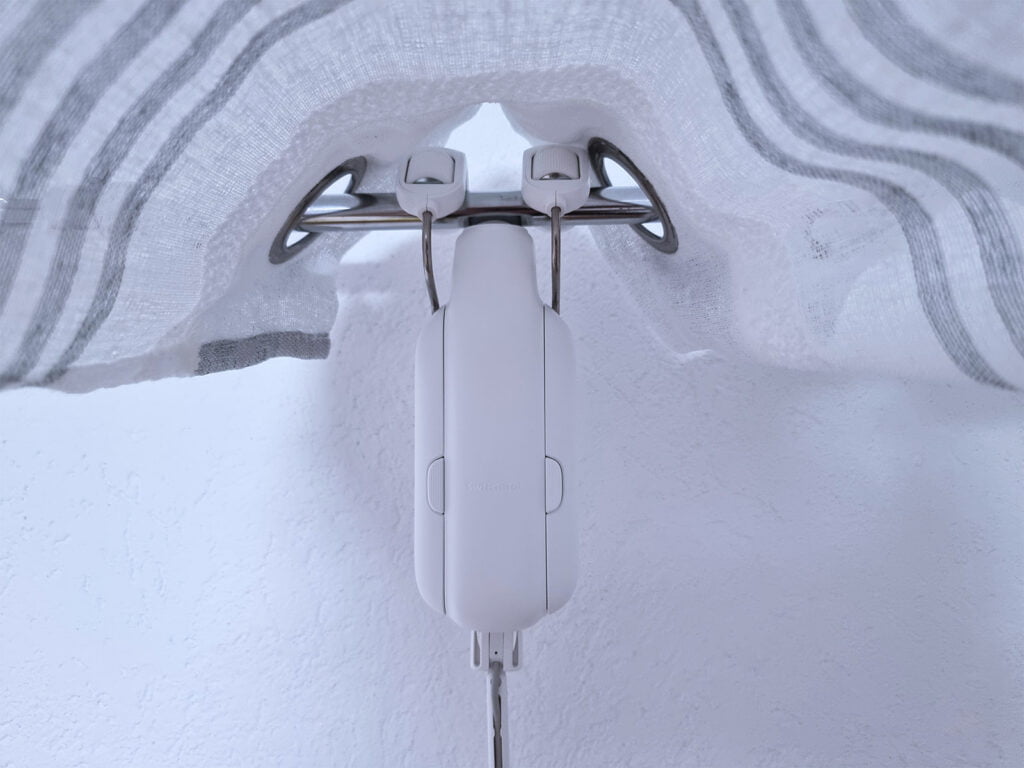
Installation is genuinely five minutes. No drilling, no electrician, no permanent changes to your curtain rod. The motor clips onto the rod using a universal bracket. A small motor wheel rotates the rod to open and close curtains. That's it. I did three windows before lunch on a Saturday.
The motor handles curtains up to 33 pounds, which covers most household curtain weights. If you've got heavy drapes, double-check your weight, but you're probably fine.
Quiet Enough to Not Drive You Nuts
A lot of smart curtain motors sound like a tiny chainsaw. The Curtain 3 stays under 25 decibels—quiet enough that it won't jolt you awake if it opens at sunrise.
There's a "Quiet Drift" mode that's even quieter. It operates the motor at reduced power, moving curtains slower but barely audible. Perfect if you have a light sleeper in the house.
Battery Life and Charging Options
The motor runs on four AA batteries. Under normal use (opening and closing twice daily), you get about eight months before needing replacements. That's reasonable for a wireless device.
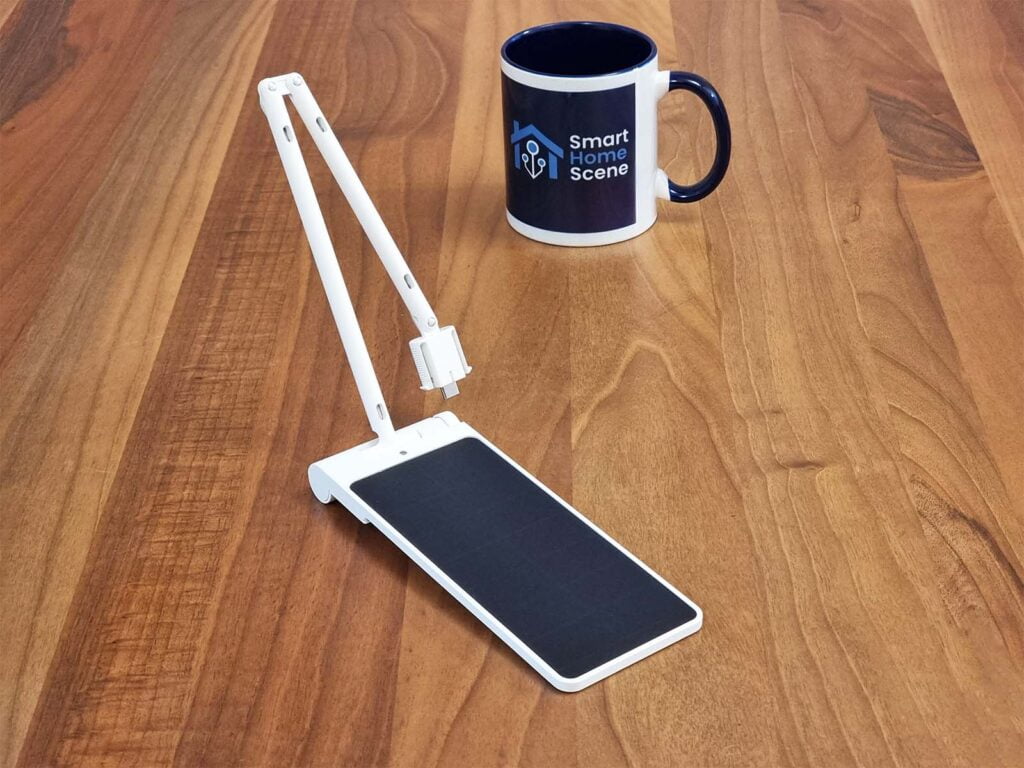
Or go solar. The Solar Panel accessory (~$20) clips to the motor and charges from about three hours of daily sunlight. In my testing in a moderately bright room, it topped the battery after a week. In winter or very shaded windows, your mileage will vary, but it's a nice option if you want to never think about batteries again.
Smart Home Integration (With a Catch)
Here's the tricky bit: the Curtain 3 is Bluetooth out of the box. That means it only works if you're right next to it or running SwitchBot's app.
To connect it to Home Assistant, HomeKit, Google Home, or Alexa, you need the Hub 2. It bridges Bluetooth devices to your network and exposes them via Matter. That's where the real smart home magic happens.
With Hub 2, you get:
- Schedule open/close with sunrise and sunset
- Voice control ("Alexa, open the living room curtains")
- Home Assistant automations (close curtains when security system arms)
- Scenes (movie mode: lights dim, projector on, curtains close)
- Apple Home, Google Home, Alexa—all supported
Home Assistant integration is clean. Once you add Hub 2, the Curtain 3 shows up as a cover entity with open/close/position controls.
The real cost: don't forget the Hub 2. The Curtain 3 alone is cheap, but add the hub and you're paying $145 per pair. That's still competitive, but it's not the $90 you see advertised.
Comparison to Other Options
IKEA FYRTUR (~$130+) replaces your entire curtain rod system. Installation requires drilling and possibly a new rod. But everything is local and works without a hub. If you're okay with replacement curtains, it's solid.
SOMA Smart Shades 2 (~$90 per shade) works only with roller shades. Battery life is good, local control works, but it's limited to specific shade types.
The Curtain 3 wins on versatility and no-installation appeal. You're keeping your existing curtains and rod, just adding a motor.
Real-World Use
I've had the Curtain 3 on my bedroom window for three months. The motor is genuinely quiet. Morning opening happens at sunrise without waking me up. Evening closing is scheduled for an hour before bed. I haven't adjusted curtains manually once.
The app is straightforward, though like all SwitchBot apps, it's not the most elegant UI design. It works, which is what matters.
The big win: automating things I never thought to automate. I set curtains to close automatically on hot summer afternoons to keep room temperature down. In winter, they open at midday to maximize passive solar heat. Small savings, but they add up.
One Thing to Watch
Make sure your curtain rod is sturdy. The motor puts minimal weight on the rod (under a pound), but if your rod is already sagging, the motor won't fix that. Test the manual operation before buying.
Final Take
The SwitchBot Curtain 3 is the best option if you want to add smart control without replacing your curtains. Installation is painless, the motor is quiet, and Home Assistant integration (via Hub 2) actually works.
Don't expect motion-activated curtains to revolutionize your life. But for the price and convenience, it's hard to beat.
Buy SwitchBot Curtain 3 on Amazon — Check current pricing and bundle deals.
Buy SwitchBot Hub 2 on Amazon — Essential for smart home integration.